The performance platform for football coaching staffs

The whole squad in one view.

Athlo brings each player's GPS load, perceived exertion, wellness and availability into one place. Every session you log updates the picture for the whole squad.

Product tour with no form. Sample data, labelled as such.

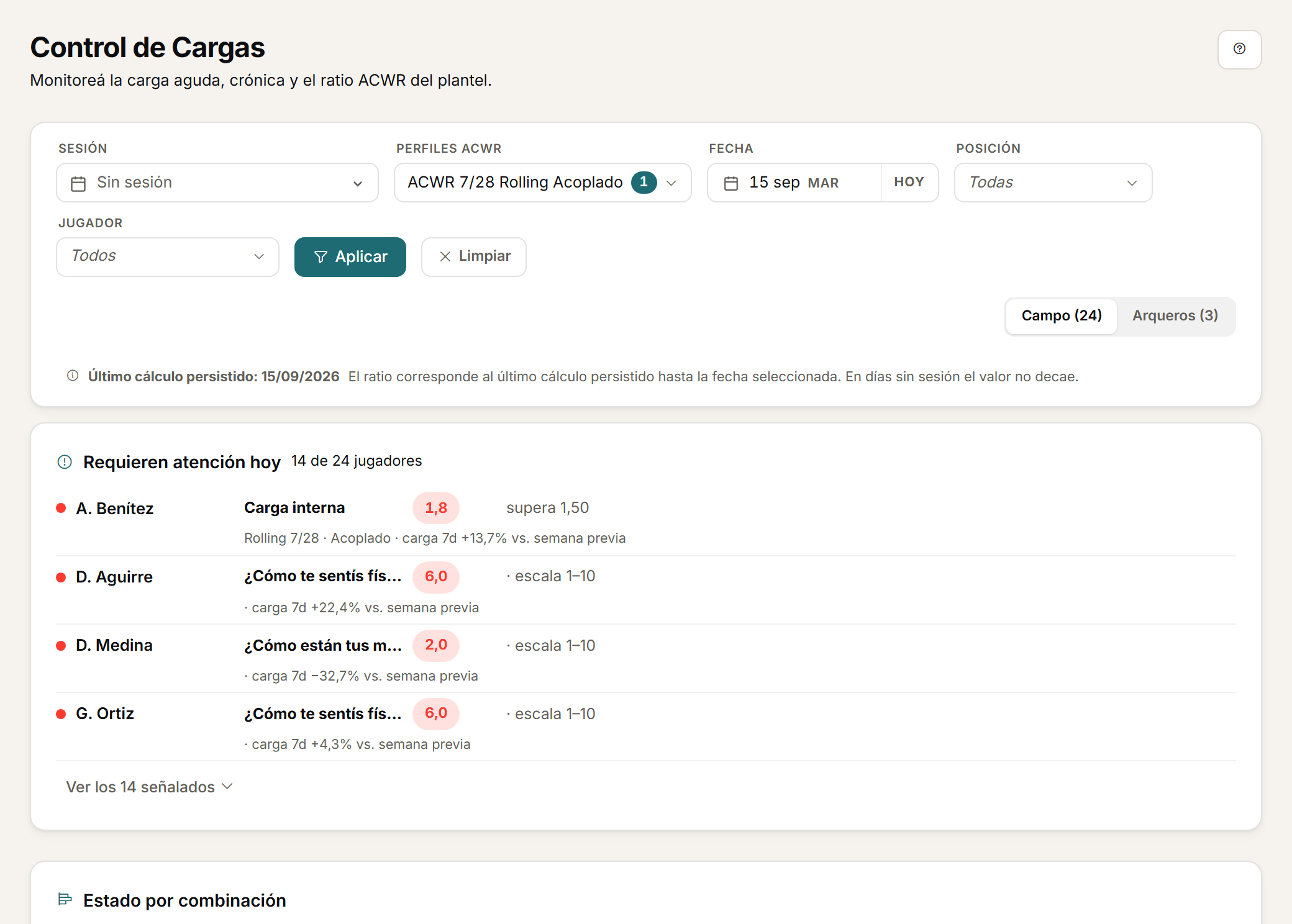
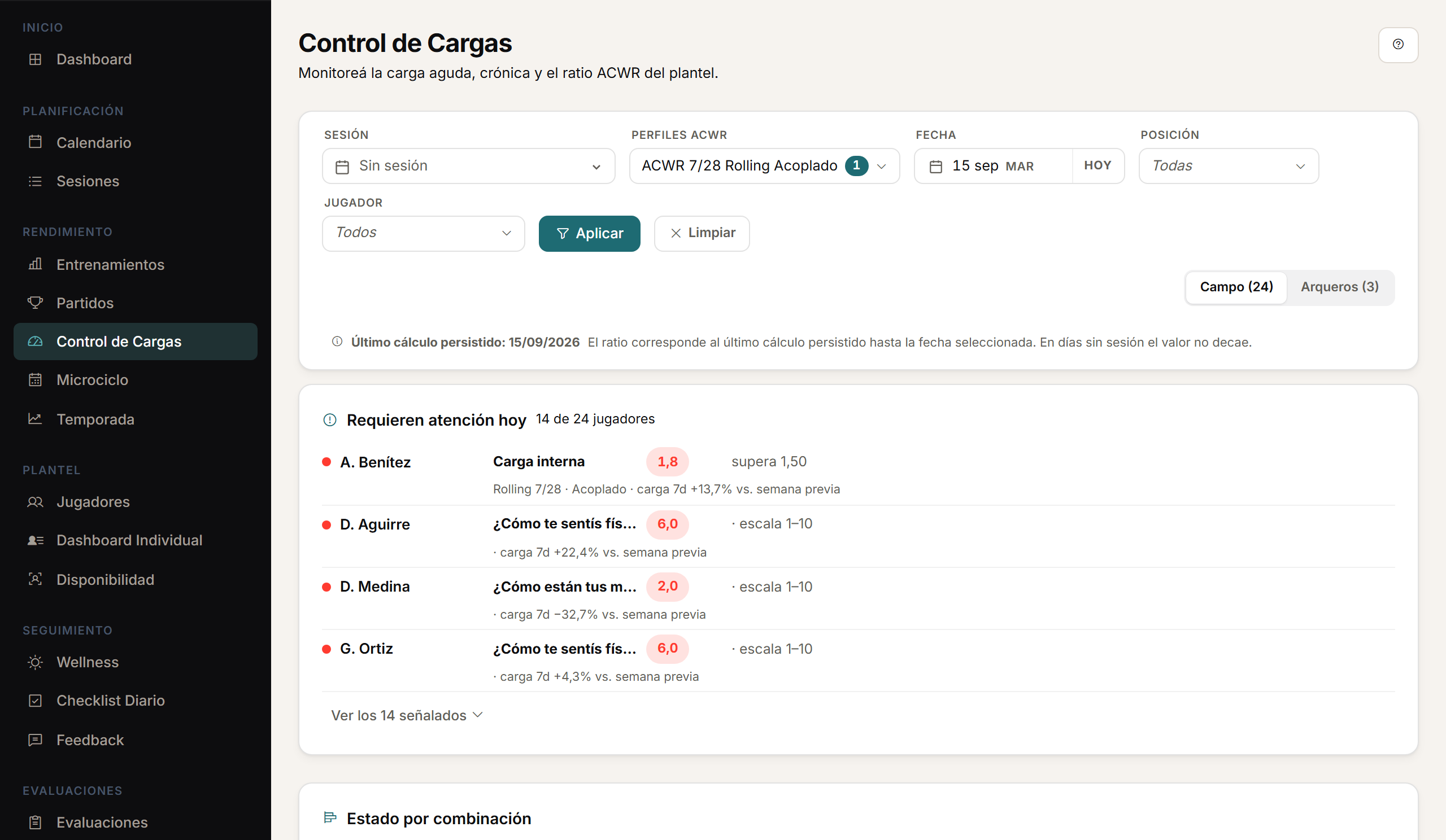
Capture of Athlo's load monitoring screen on desktop.
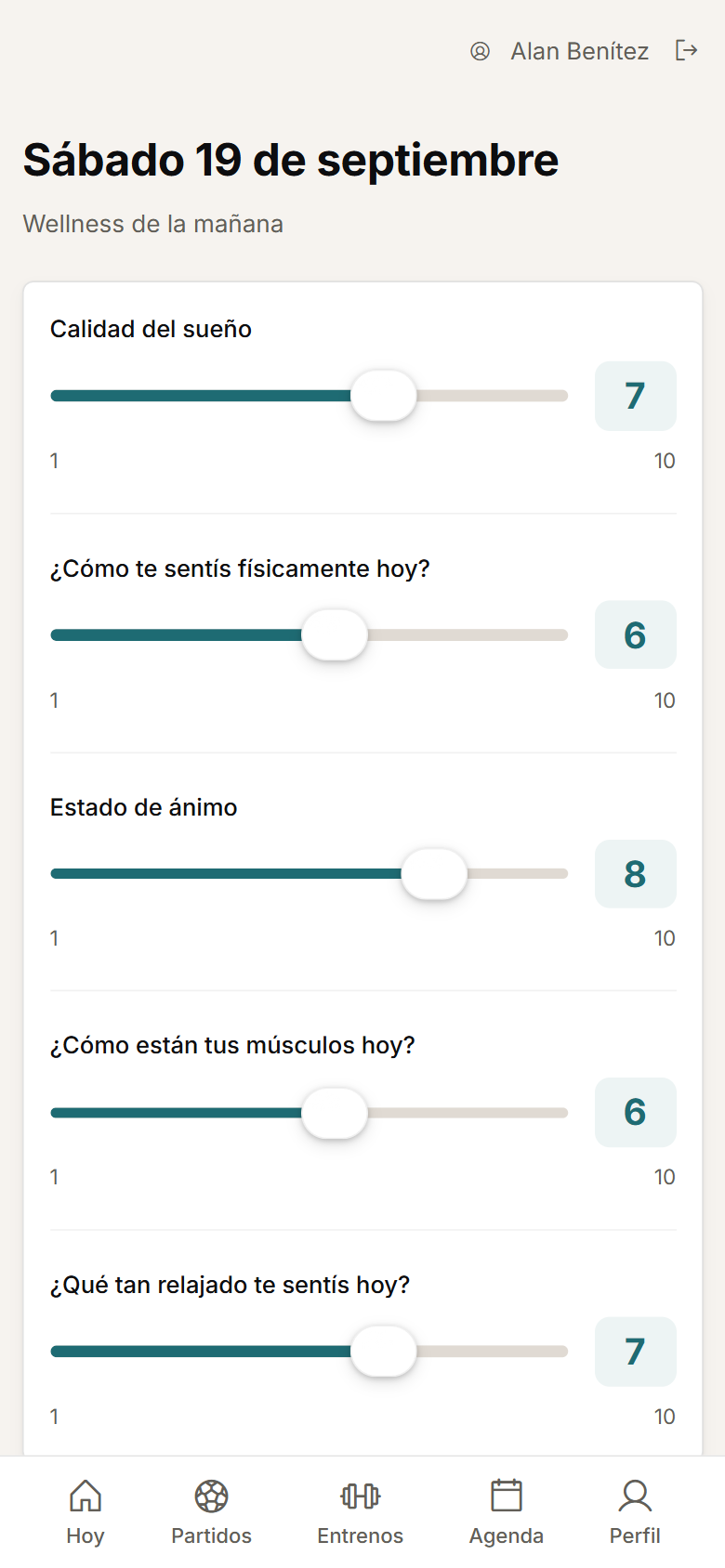
Capture of the mobile wellness screen, overlaid on load monitoring.

The product interface is currently in Spanish.

  • ACWR with rolling average or EWMA, coupled or uncoupled.
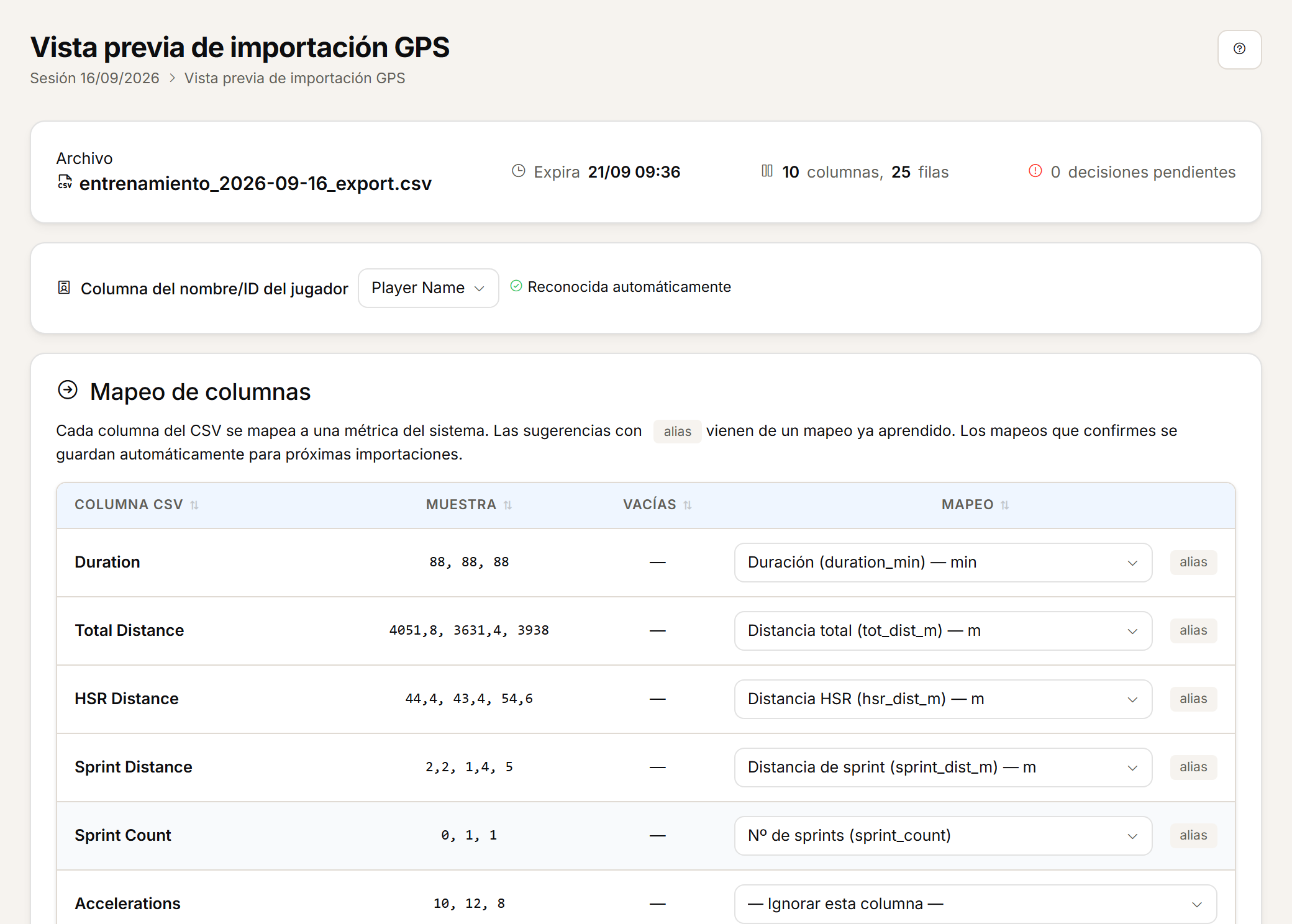
  • GPS CSV import with a preview before you confirm.
  • Modules enabled by role for performance, coaching and medical staff.

One session, every source.

The GPS CSV, the player's RPE and their morning wellness are tied to the same session and the same microcycle day.

One player, one history.

Load, responses, assessments, absences and injuries read on the same player record, with the access each role should have.

One squad, one screen.

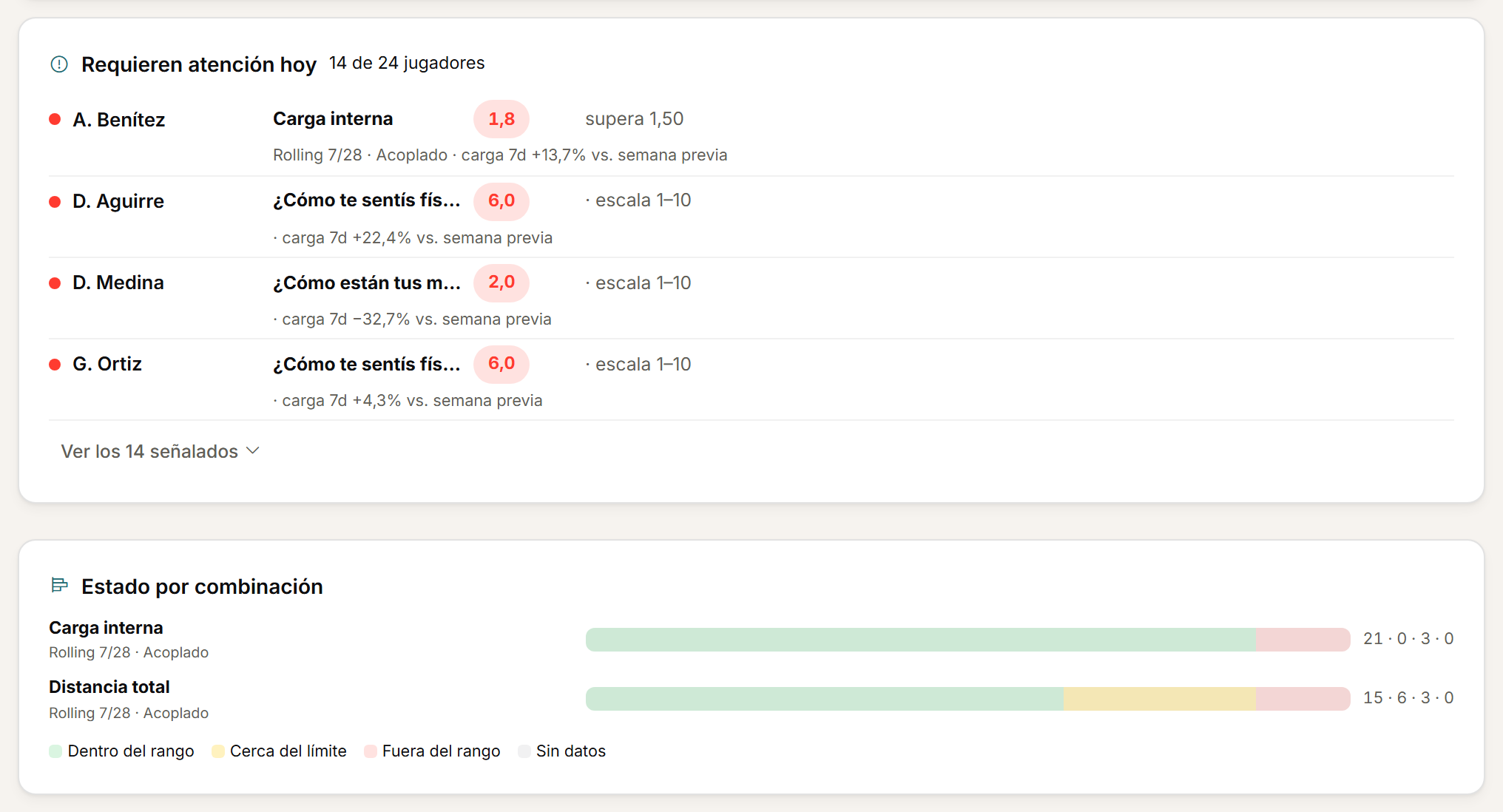
Load monitoring shows ACWR, targets, wellness and availability in the same table, updated with every import.

The problem

From the GPS, the spreadsheet, the form and the medical report to a single view.

Each source is useful on its own. The cost is in joining them by hand every week, and in what gets lost along the way.

Import

Today

The GPS CSV gets cleaned up and pasted into a spreadsheet. If the vendor changes a column, the mapping is rebuilt. New players are added by hand.

With Athlo

Upload the CSV, review how Athlo read the columns and players, and confirm. Confirmed mappings are learned for the next import. On re-import, players present in the file are updated and the rest are kept.
Calculate

Today

ACWR, monotony and strain live in formulas only their author understands. sRPE is worked out somewhere else, from another source.

With Athlo

Athlo calculates acute load, chronic load and ACWR per player and per metric, with the method you define: rolling average or EWMA, coupled or uncoupled, and a configurable optimal zone. Seven-day load, weekly change, monotony and strain come from the same data. Internal load is derived from RPE and session duration.

Read in time

Today

Wellness arrives through a form and gets cross-checked against load when someone has time. The availability the doctor keeps and the one the fitness coach keeps do not match.

With Athlo

The player completes wellness from their phone before training. Staff see the responses that need attention next to load and availability, on the same load monitoring screen. An injury is linked to its absence period, and availability reads the same for performance and medical staff.

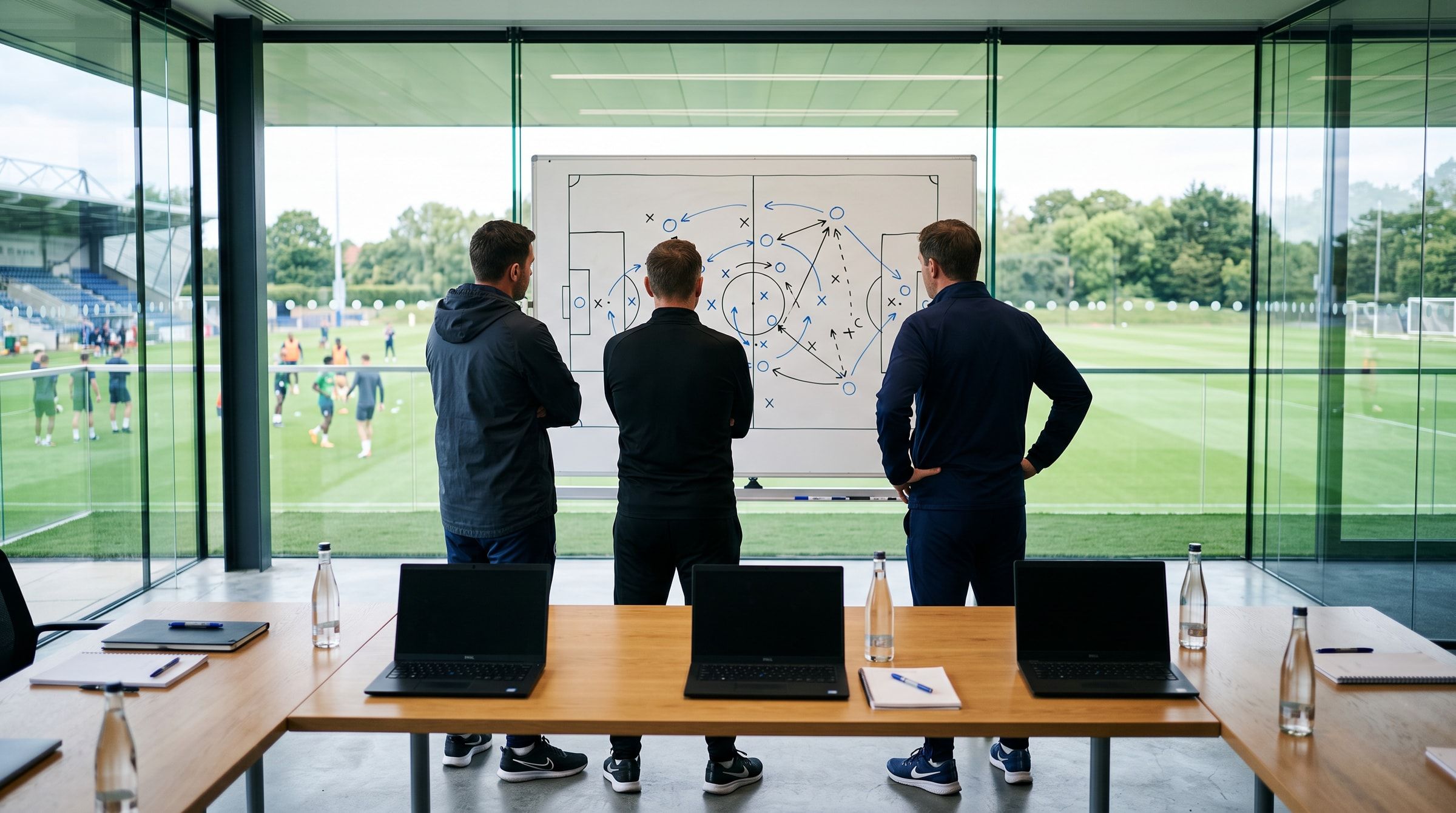
Context photo: three members of the coaching staff in front of a whiteboard with a pitch diagram, the training pitch behind them

How it works

A training day, end to end.

  1. 01

    Before training.

    The player completes their wellness from their phone, or from a shared changing-room tablet.

    Capture of the mobile wellness screen the player completes before training.
  2. 02

    The session.

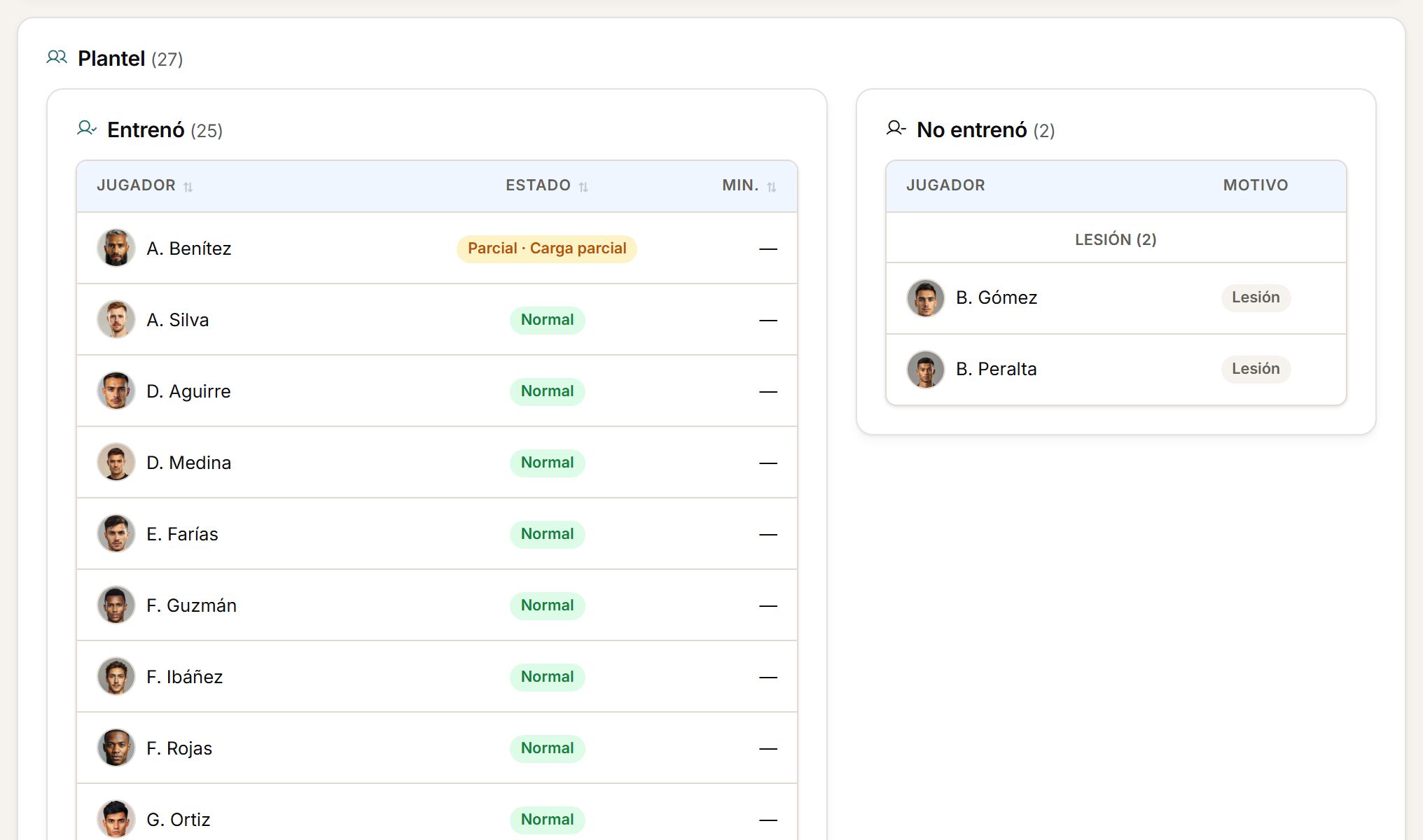
    It already exists in the calendar with its microcycle day, its drills and its participants.

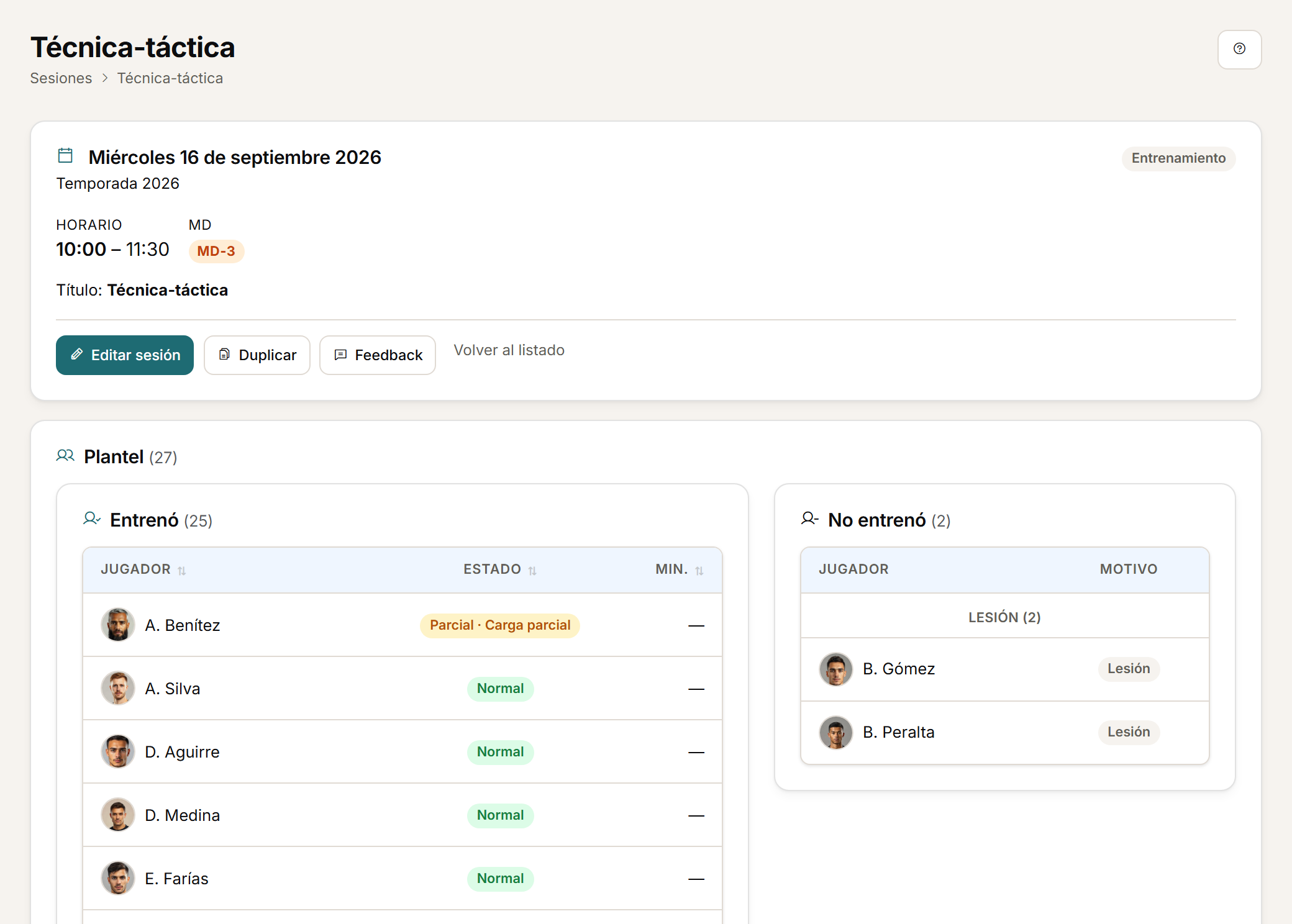
    Capture of a session's detail, with its header and squad list.
  3. 03

    Afterwards.

    Upload the GPS CSV, review the preview and confirm. The player logs their RPE.

    Capture of the GPS import preview.
  4. 04

    The read.

    Load monitoring shows ACWR, targets, wellness and availability per player, updated with that session.

    Capture of the squad load monitoring table.
See the full tour

Physical load

From the GPS CSV to the microcycle decision.

Import the CSV exported by your GPS for the whole session, a single drill or a match period. Athlo calculates the load and compares it against what each player had been tolerating.

  • Preview before confirming: columns and players as interpreted, with mappings learned for the next import.
  • ACWR per player and metric, with rolling average or EWMA, coupled or uncoupled, and a configurable optimal zone. Weekly monotony and strain.
  • Physical targets for the squad, by position or by player, with green, amber and red zones.
  • Custom and calculated metrics, with a separate scope for goalkeepers.
  • Read by session, microcycle and season, with team and player views.

File-based compatibility: Athlo imports the CSV your GPS exports. It is not an API integration with the vendor.

See the GPS workflow
Crop of the squad load monitoring screen.

Every session, against what the player had been tolerating.

0.51.01.5MD-4MD-3MD-2MD-1MDMD+1Optimal zoneAcuteChronicConcept · sample data

Wellbeing

How the player arrives, tied to what they did.

Daily wellness, staff checklist and post-session feedback with RPE. Every response is tied to the player, the day and the session.

  • Configurable wellness: sleep, fatigue, muscle soreness, stress and mood by default, plus numeric or single-choice questions with visual thresholds.
  • The player completes it from their phone or from a shared changing-room tablet. Staff can enter or correct records according to their permissions.
  • After the session, RPE and other feedback questions. Internal load is calculated from RPE and duration.
  • History and visual alerts help spot responses that need attention.
  • Daily squad checklist from an editable grid.
See wellness on mobile
Crop of mobile wellness with the answers filled in.
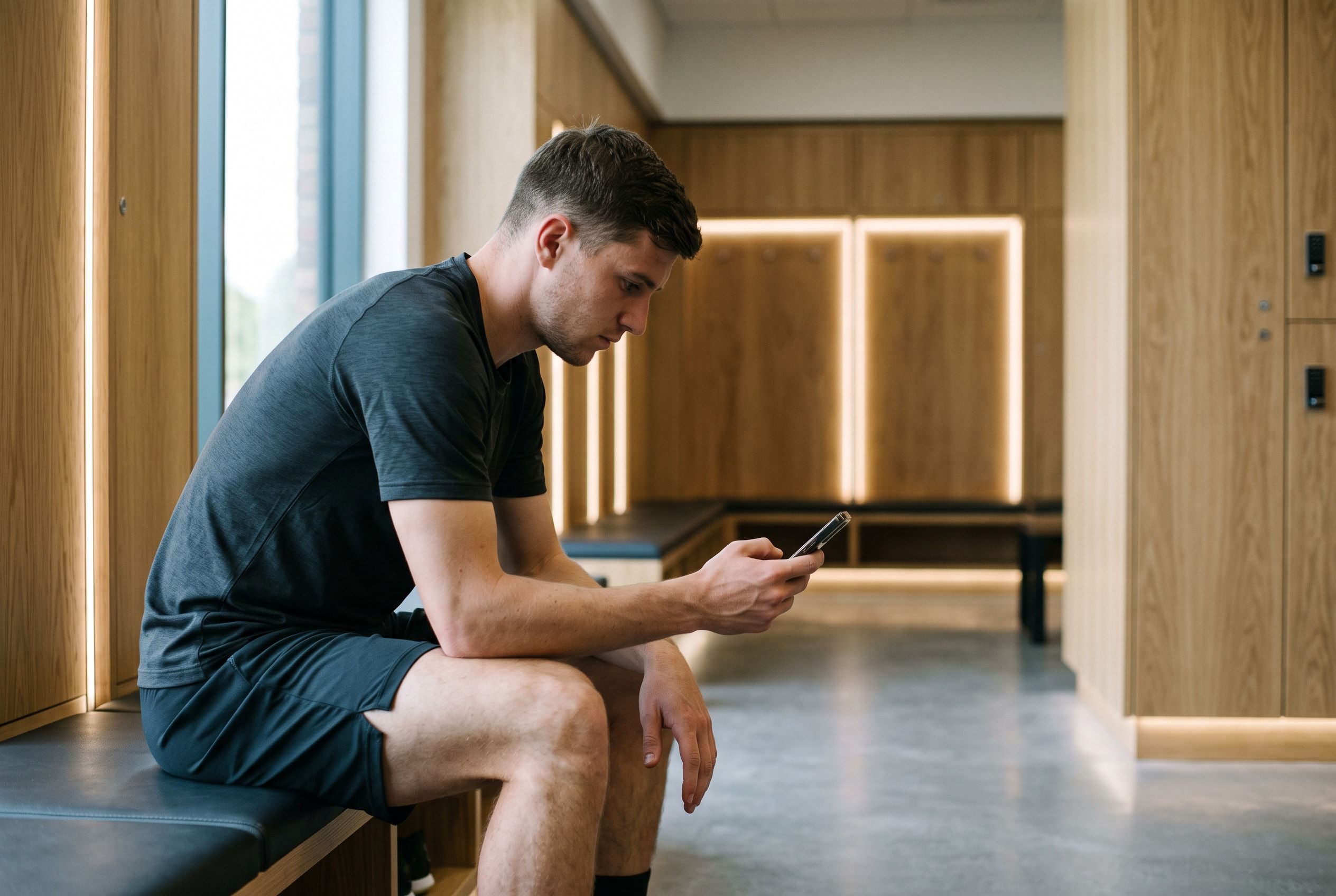
Context photo: a player checks their wellness on a phone in the changing room

Planning

The week around the match.

Training sessions and matches with date, microcycle day, drills, call-ups and participation. It is the context that makes load comparable.

  • Each session carries its microcycle day (MD-4, MD-1, MD+1) and splits into drills with their actual participants. Drill library with tags.
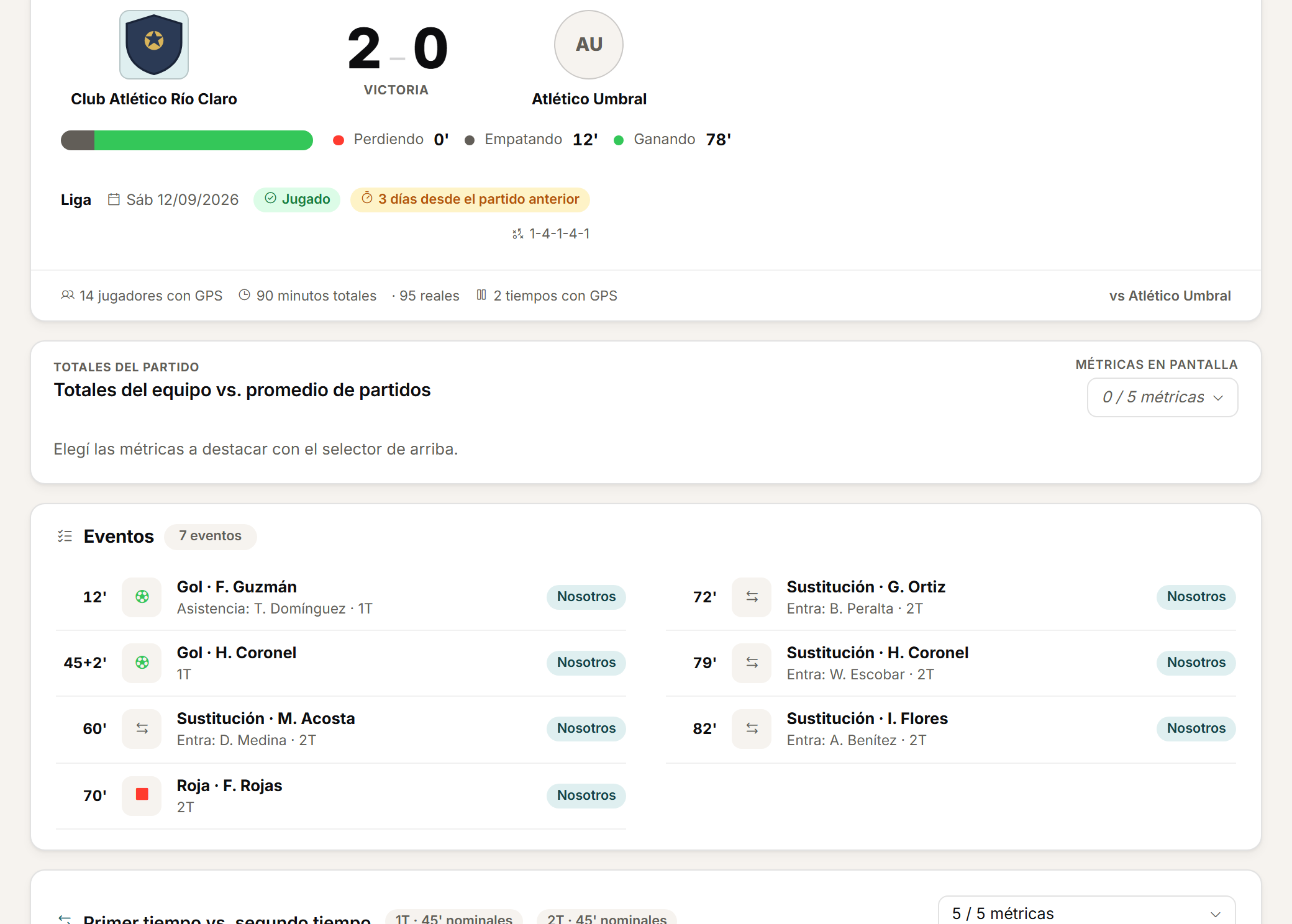
  • For matches: opponent, competition, result, periods and events. Compare first and second half and check personal bests.
  • Daily, weekly and monthly calendar with sessions, availability and events. Duplicate a planning day when you need to.
See a session in context
Crop of a session with its microcycle day and participants.

Medical

One availability status, read the same by everyone.

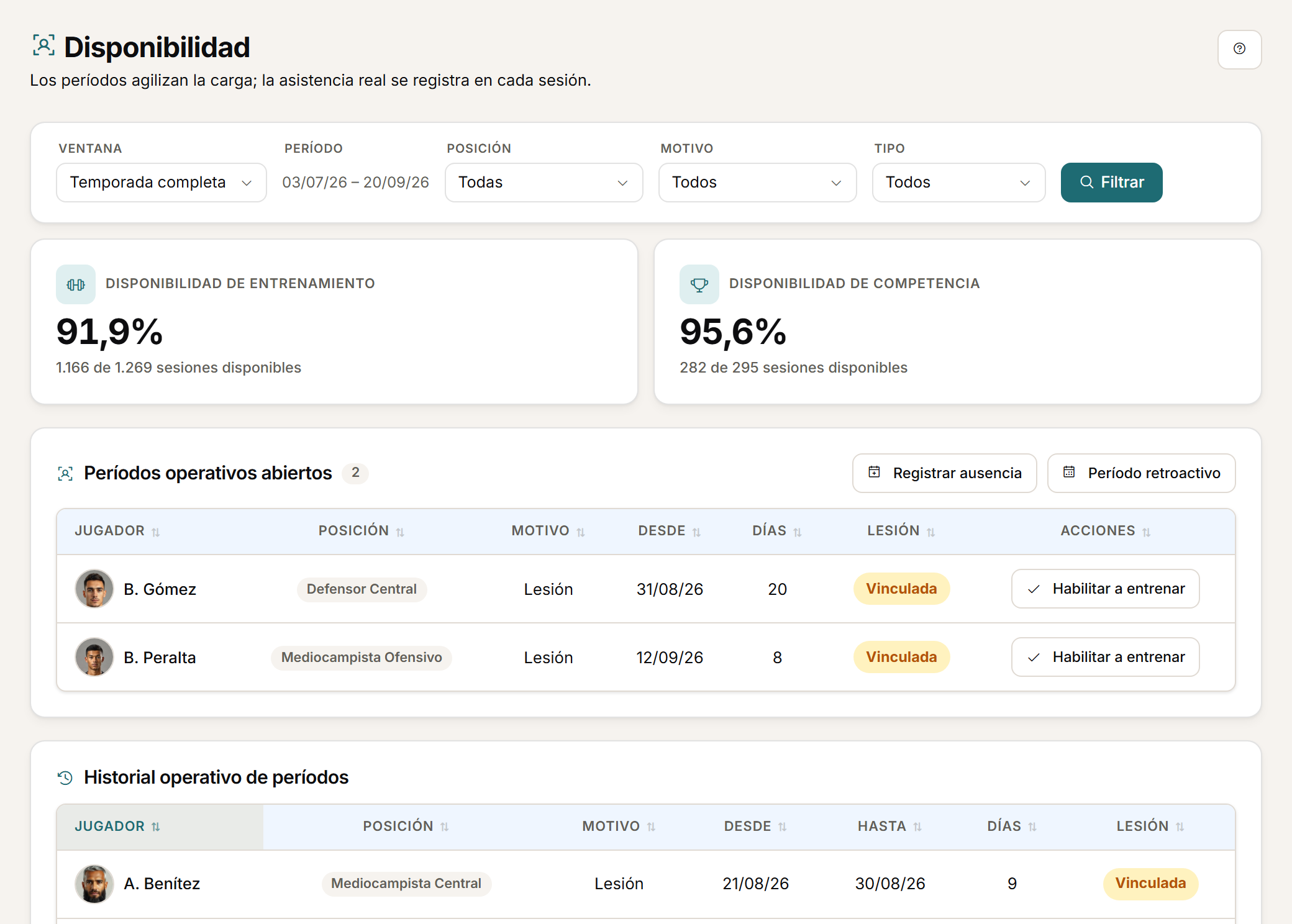
Unavailability periods, injuries, rehabilitation and daily reports on the same player history. Performance and medical staff work from the same reference, each with their own access.

  • Injuries with diagnosis, body area, side, mechanism, severity and recurrence. Five-stage rehabilitation with a progress timeline.
  • Each injury links to its absence period. Availability shows in load monitoring and in the calendar.
  • Daily reports by department, longitudinal clinical history and a season injury dashboard.

An injury's detail shows the load context available around its date. It is retrospective context for the staff's decision. Athlo does not predict or prevent injuries.

See availability and follow-up
Crop of squad availability.
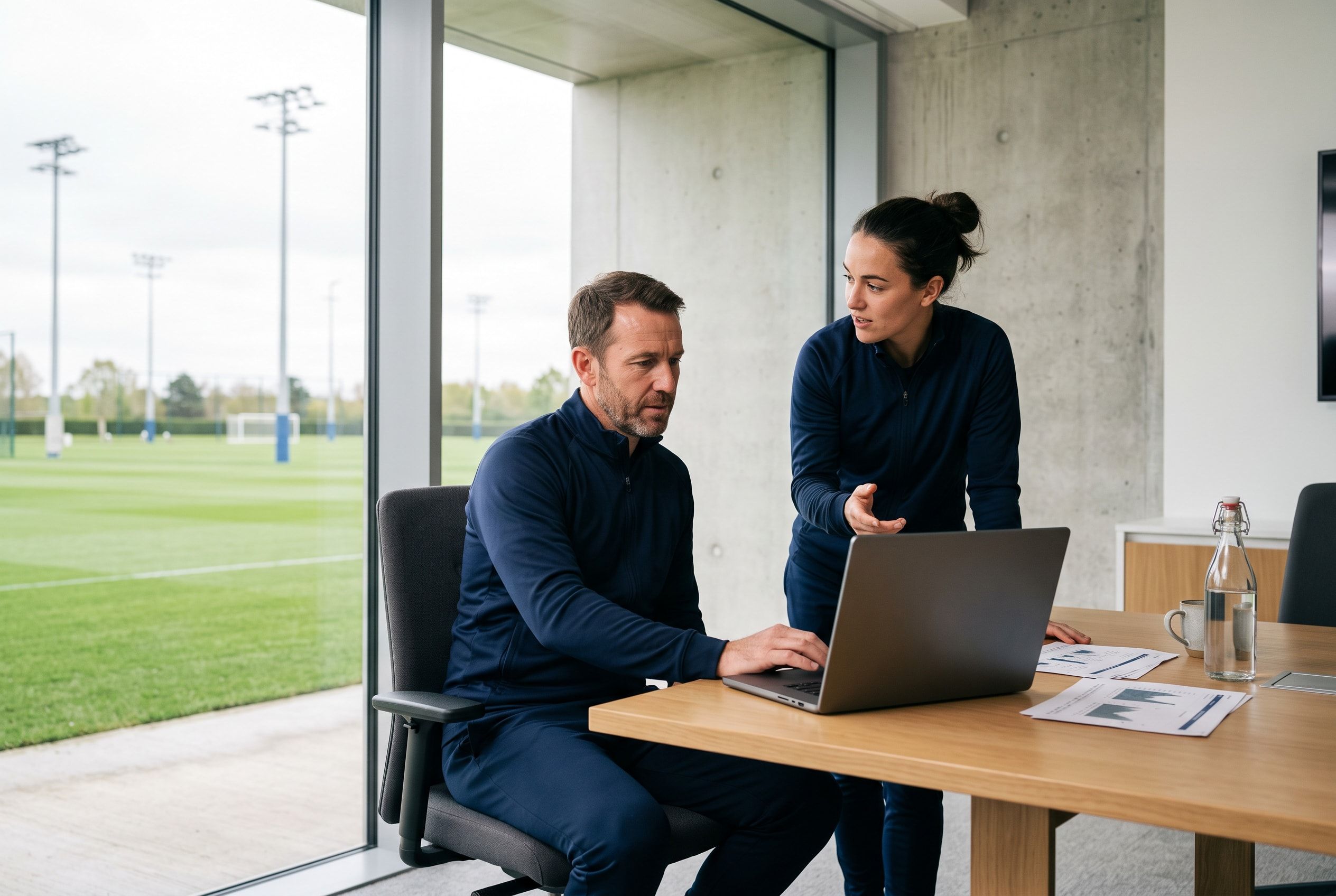
Context photo: the coaching staff review squad availability on a laptop, the pitch behind them

Assessments

Each player's progression, by area.

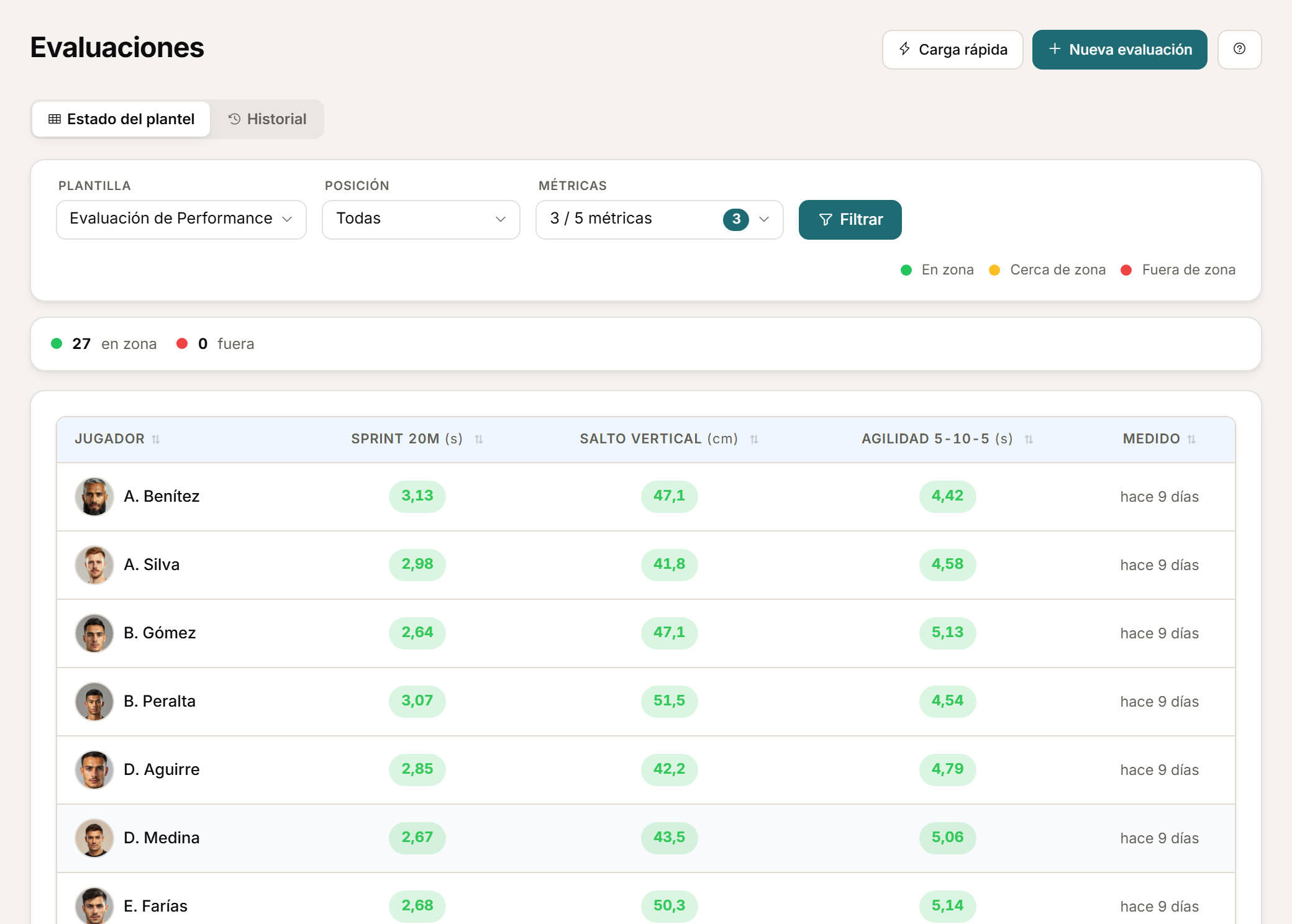
Templates by discipline, individual or bulk entry, a record with historical progression and a squad heatmap.

  • Create templates by professional area and define the metrics each discipline needs.
  • Record individual assessments or enter the whole squad in bulk from the same template.
  • Open an assessment record and the progression of its metrics. The heatmap summarises the squad by player and metric.
  • Configurable reference zones. Staff decide which metrics the player can see.
See the squad heatmap
Crop of the assessments heatmap.

Access

Each role sees what it should. The player, from their phone.

Roles and permissions by module for performance staff, coaching staff, doctor, physiotherapist, GPS analyst and manager. The player gets their own mobile web experience.

  • Configure roles and permissions by module: who views, who enters and who manages each area. GPS and assessment metric visibility is limited by role.
  • The player completes wellness and feedback, checks their calendar and sees their dashboard with the metrics staff have enabled.
  • Each coaching staff works in its own space, separate from other clubs.

Mobile web experience, not a native app. No App Store or Google Play badges.

See the player dashboard
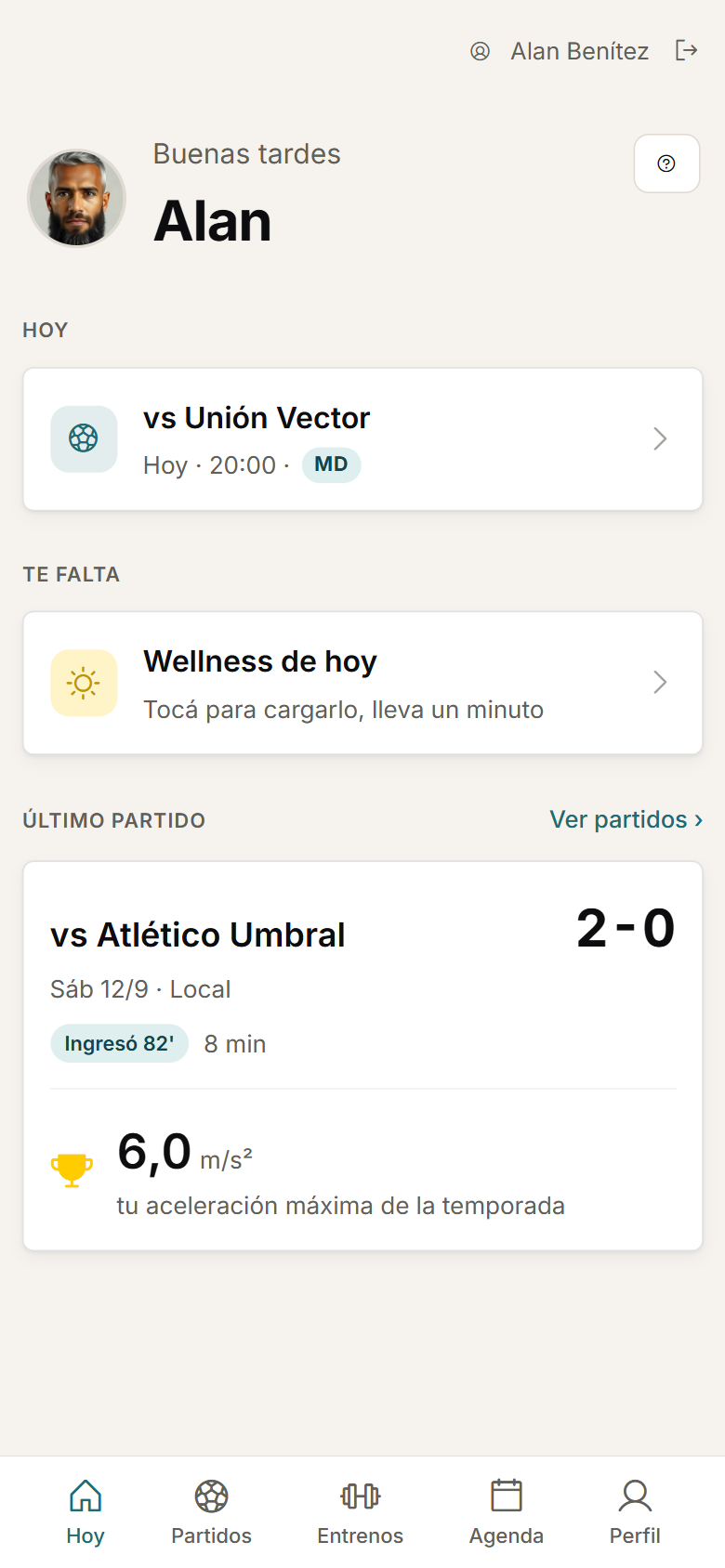
Crop of the player dashboard on a phone.

Tour

Athlo in two minutes.

No form · Sample data for demonstration · No audio

  1. 01 / 09

    Session and microcycle context

    The day's session with its microcycle day, its drills and the participants present.

    Session and microcycle context
  2. 02 / 09

    GPS import preview: columns and players recognised

    The GPS import preview with the interpreted columns and players before confirming.

    GPS import preview: columns and players recognised
  3. 03 / 09

    Player wellbeing capture

    The player's wellness completed from their phone, with its saved confirmation.

    Player wellbeing capture
  4. 04 / 09

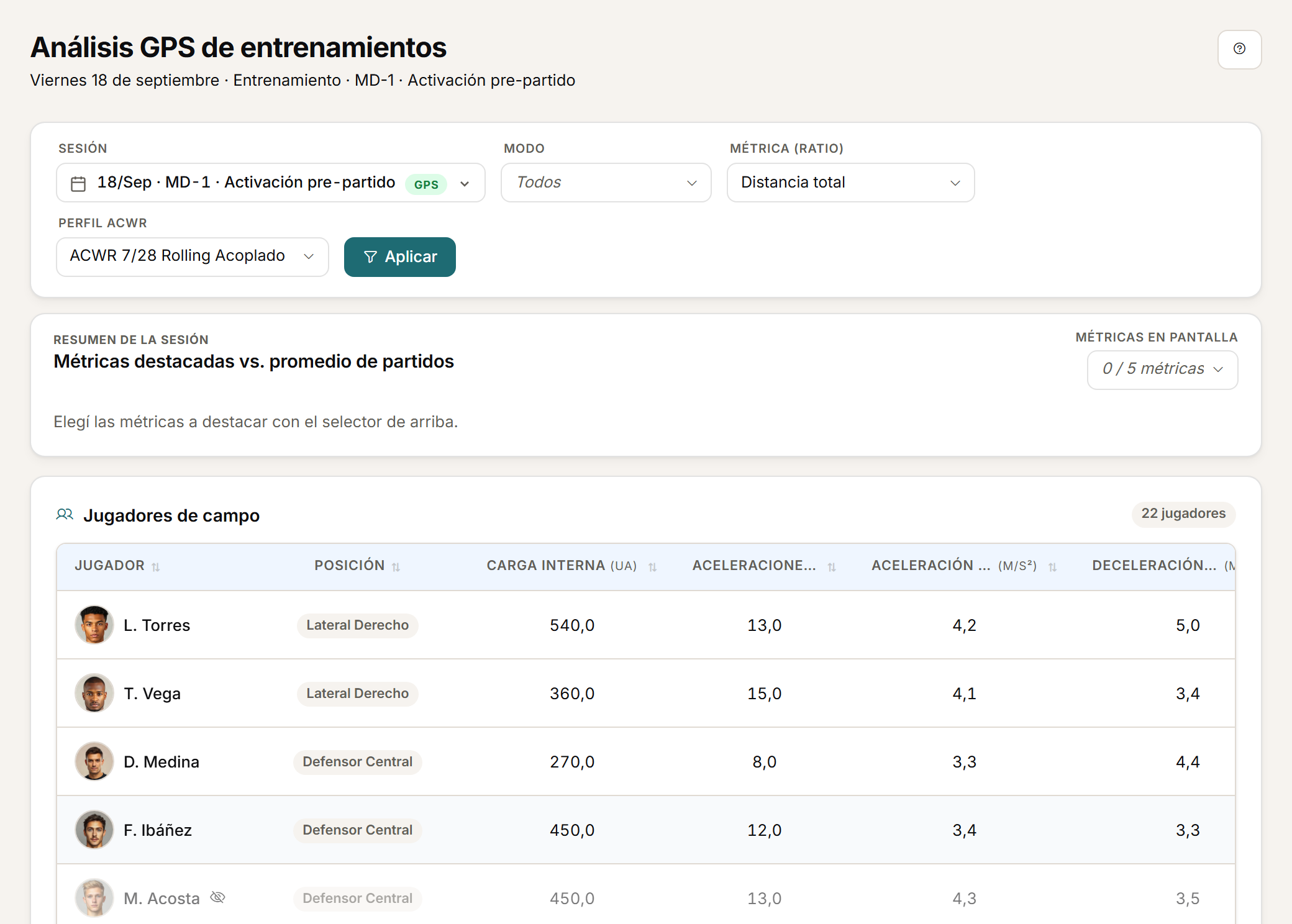
    GPS analysis of a training session

    The session table by player, with internal load, accelerations and decelerations, and the chosen load ratio.

    GPS analysis of a training session
  5. 05 / 09

    Match analysis

    The match with its result, its events and the first-half versus second-half comparison by player.

    Match analysis
  6. 06 / 09

    Squad load and objective compliance

    The squad's load compared against the microcycle objective, with goalkeepers in their own group.

    Squad load and objective compliance
  7. 07 / 09

    Availability and medical history

    The squad's availability and one injury's history, with its approved rehabilitation stages.

    Availability and medical history
  8. 08 / 09

    Player mobile dashboard

    The player's dashboard on their phone, with their latest session and access to wellness, feedback and their calendar.

    Player mobile dashboard
  9. 09 / 09

    Squad assessment heatmap

    The squad's assessment heatmap, with its reference zones by player and metric.

    Squad assessment heatmap

Value by role

Performance staff

From today's load to the season's history.

  • Review the file before confirming.
  • Compare load and targets in context.
  • Check wellness and availability without switching spreadsheets.
Request a demo with your data

FAQ

What people ask before a demo.

Does Athlo integrate with my GPS vendor?

Athlo imports the CSV your GPS exports. You review how it read the columns and players before confirming, and confirmed mappings are learned for the next import. It is not an API integration with the vendor.

Is there an iOS or Android app?

No. The player uses a mobile web experience from the phone's browser, with their own access. There is no native app and nothing to download from a store.

What language is the product in?

The Athlo interface is in Spanish. This website is available in Spanish and English.

What is ACWR, and what is it not?

It is the ratio between a player's acute load and chronic load, calculated with the method you define: rolling average or EWMA, coupled or uncoupled. It is a monitoring indicator that gives the staff context for their decision. It does not predict or prevent injuries.

How do I get access to Athlo?

Through a personalised demo with your data. There is no self-service sign-up, free trial or public pricing. If you already have an account, use Sign in.

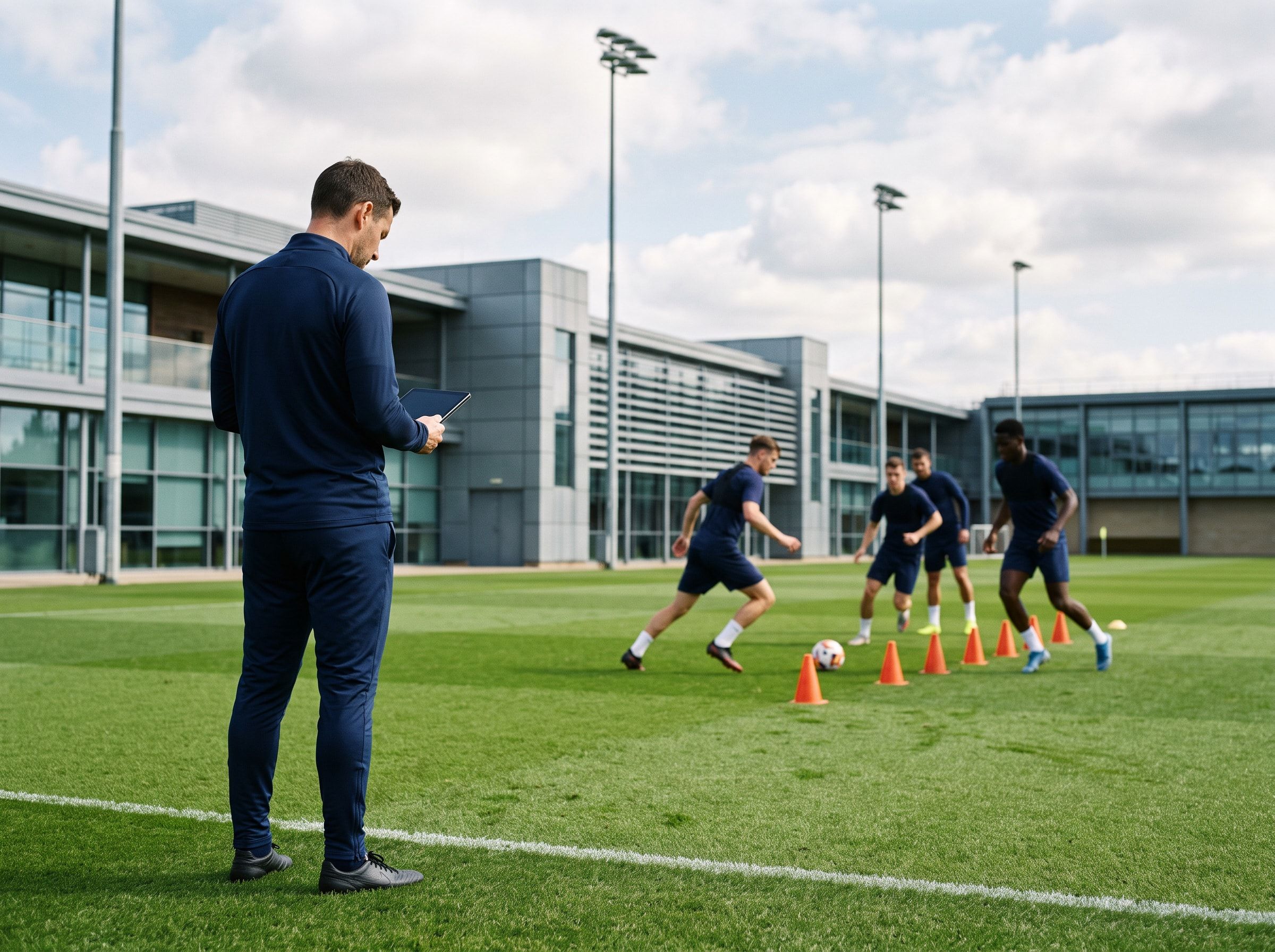
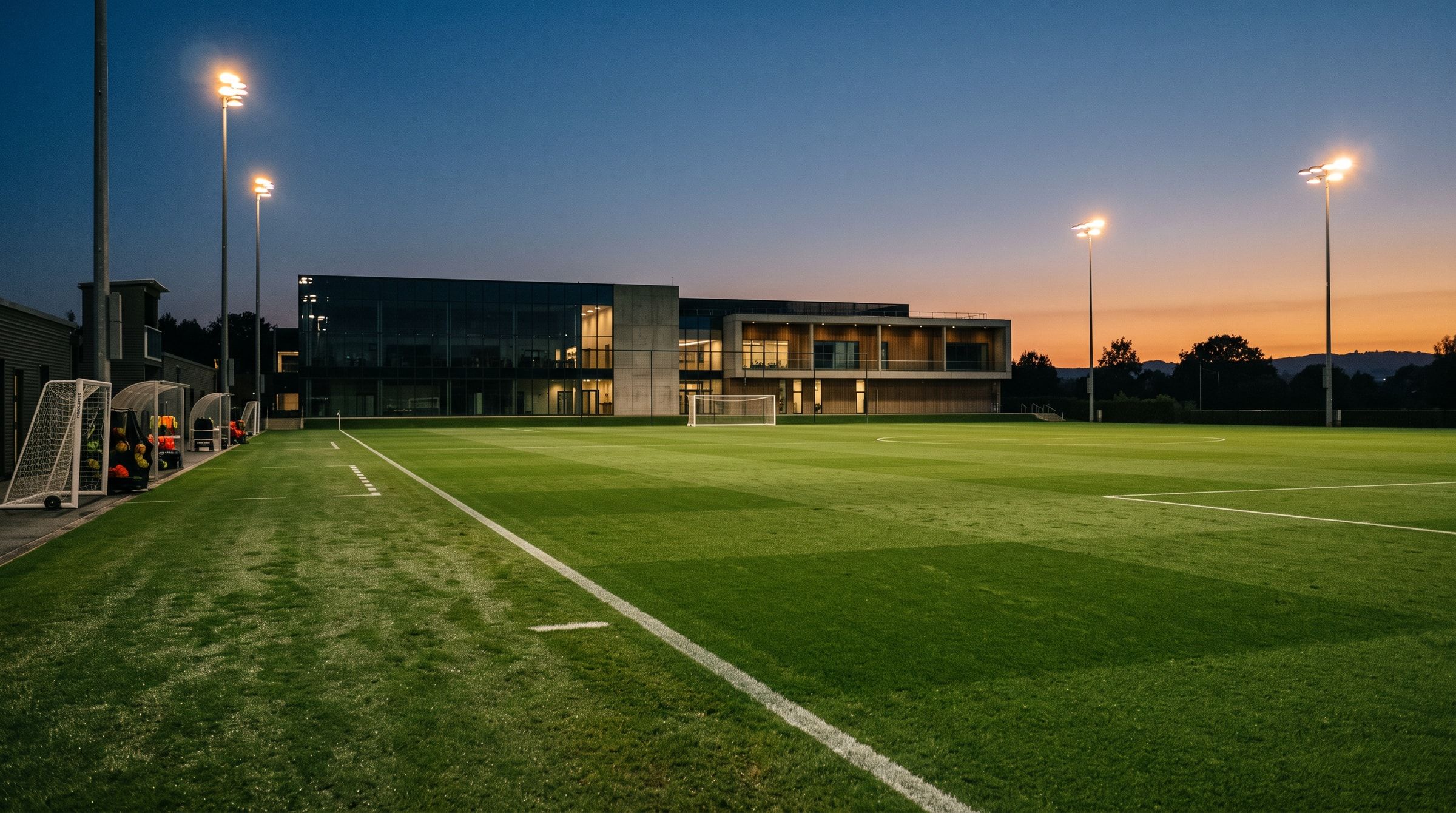
Context photo: the touchline during a training session

Personalised demo

Request a demo with your data.

Send us a CSV exported by your GPS and tell us how you calculate load today. The demo is built on that: your metrics, your thresholds, your microcycle.

Request a demo with your data

Or watch the two-minute tour first

No form needed to see the product. For the demo, an email or a WhatsApp message.

The product interface is currently in Spanish.

What happens next

  1. 01

    You write to us on WhatsApp or email.

    Tell us about your club and what you would like to see first.

  2. 02

    We prepare the demo with your data.

    We build it on your own GPS CSV and how you calculate load.

  3. 03

    A video call with your staff.

    About 45 minutes, with room for every question.