Head coaches
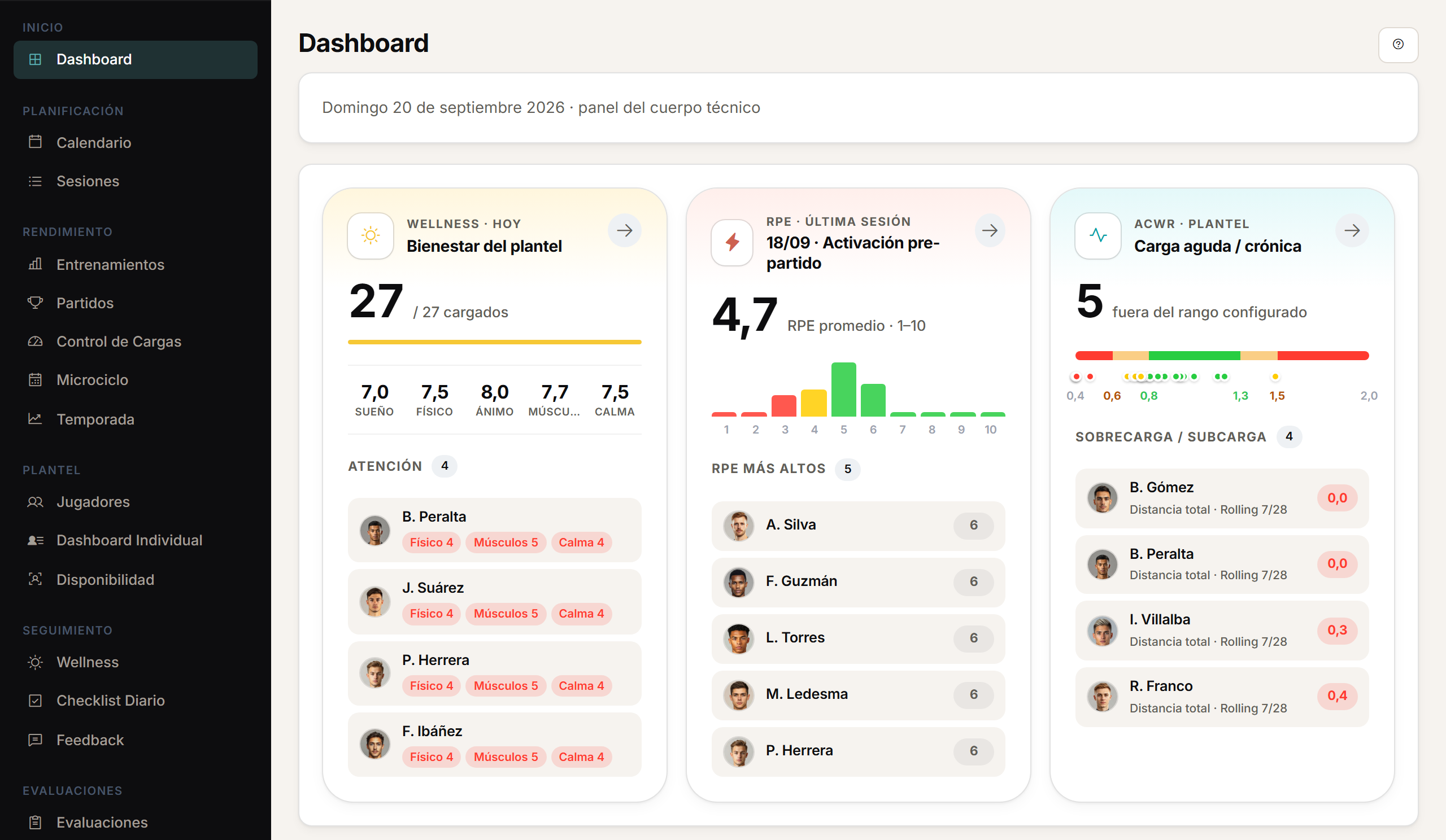
The squad's status, at a glance.
The daily dashboard brings together sessions, wellness, load and availability. For matches, it adds the opponent, the result and the periods.
A day with Athlo.
01
Before training
The daily dashboard already shows the squad's wellness and availability.
02
The session
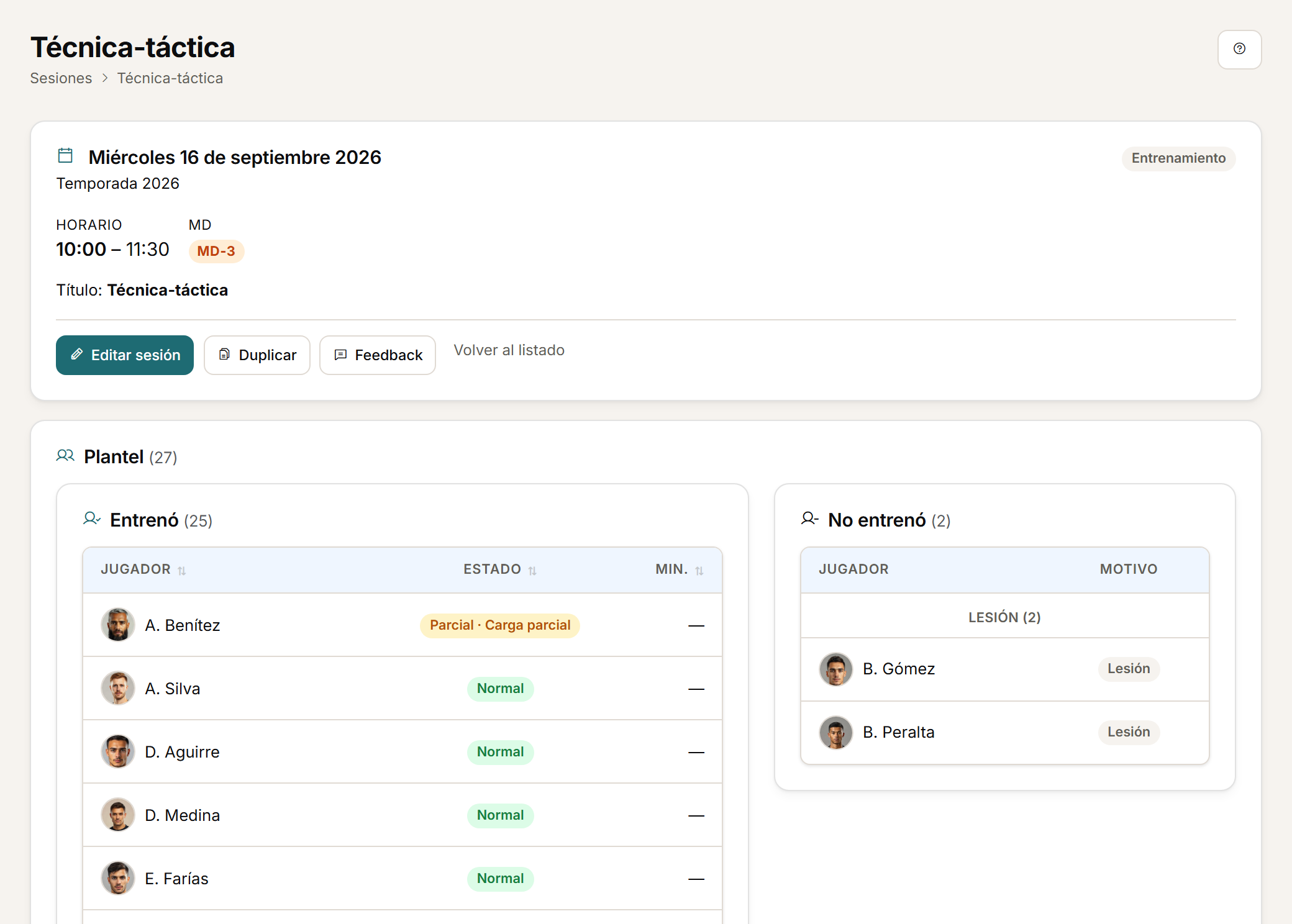
Training sessions and matches, with microcycle day, call-up and participation.
03
Afterwards
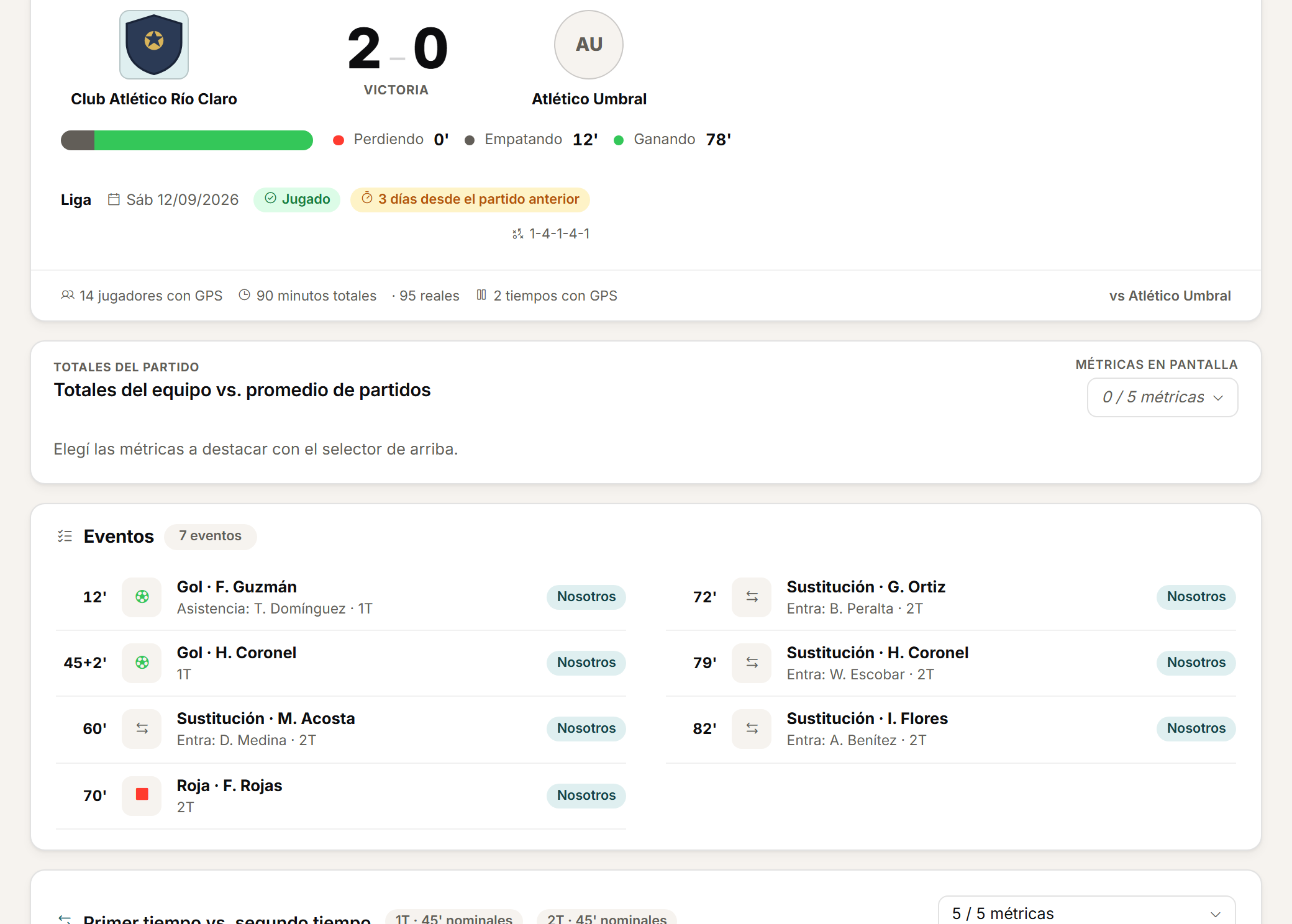
The result, the periods and the events are logged alongside the match GPS.
04
The read
You see the squad's status and the week around the match without opening a spreadsheet.
Planning
The week, planned.
Plan training sessions and matches with date, time, microcycle context, call-up and participation.
Matches
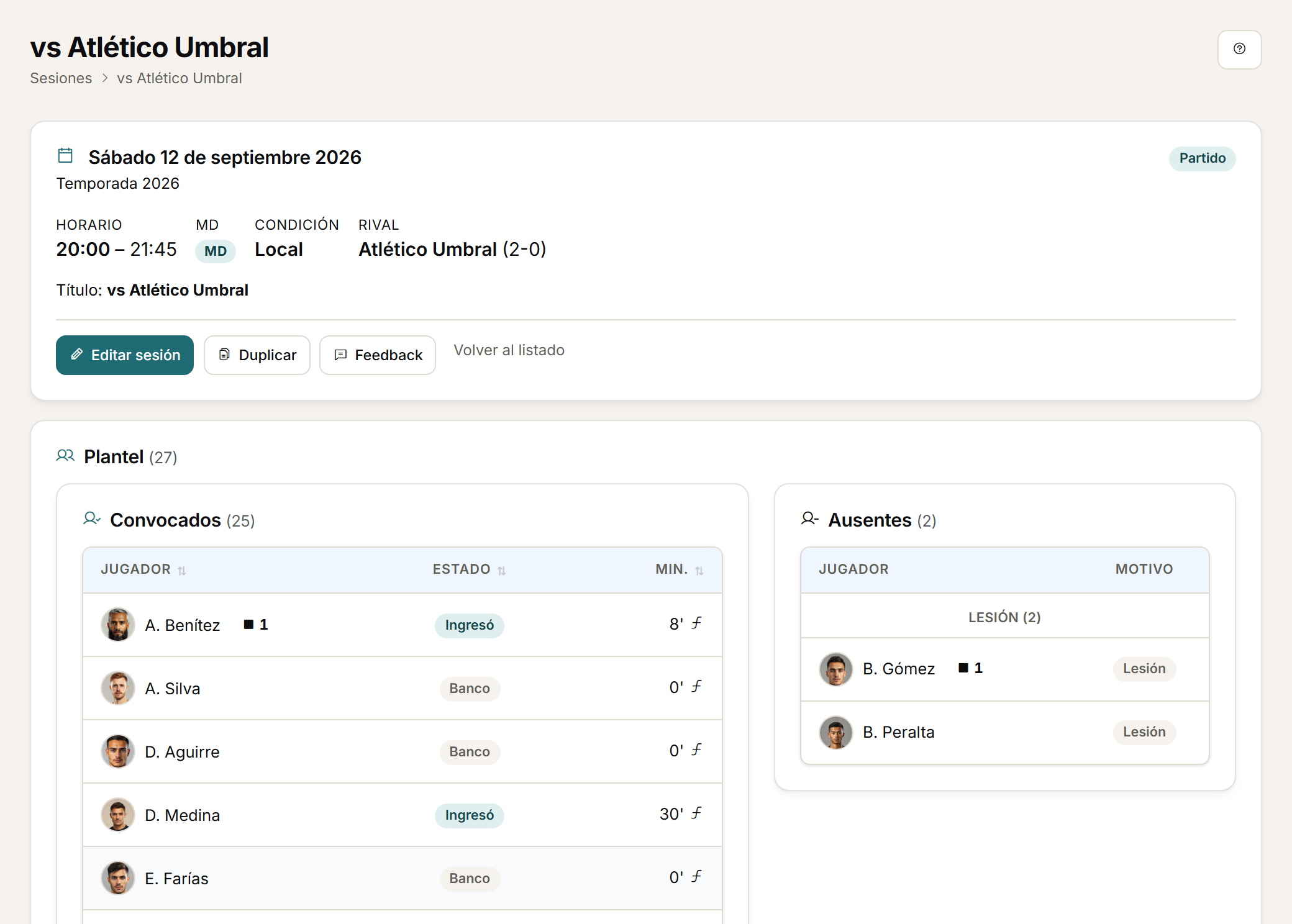
Every match, with its opponent and result.
For matches, link GPS to the opponent, competition, result, periods and events of the game.
Match analysis
Periods and events, in detail.
Match analysis links GPS to the periods and the events of the game, so you can read each half on its own.
Calendar
The whole calendar, in one view.
Information is organised around each player, their sessions, the microcycle and the season.
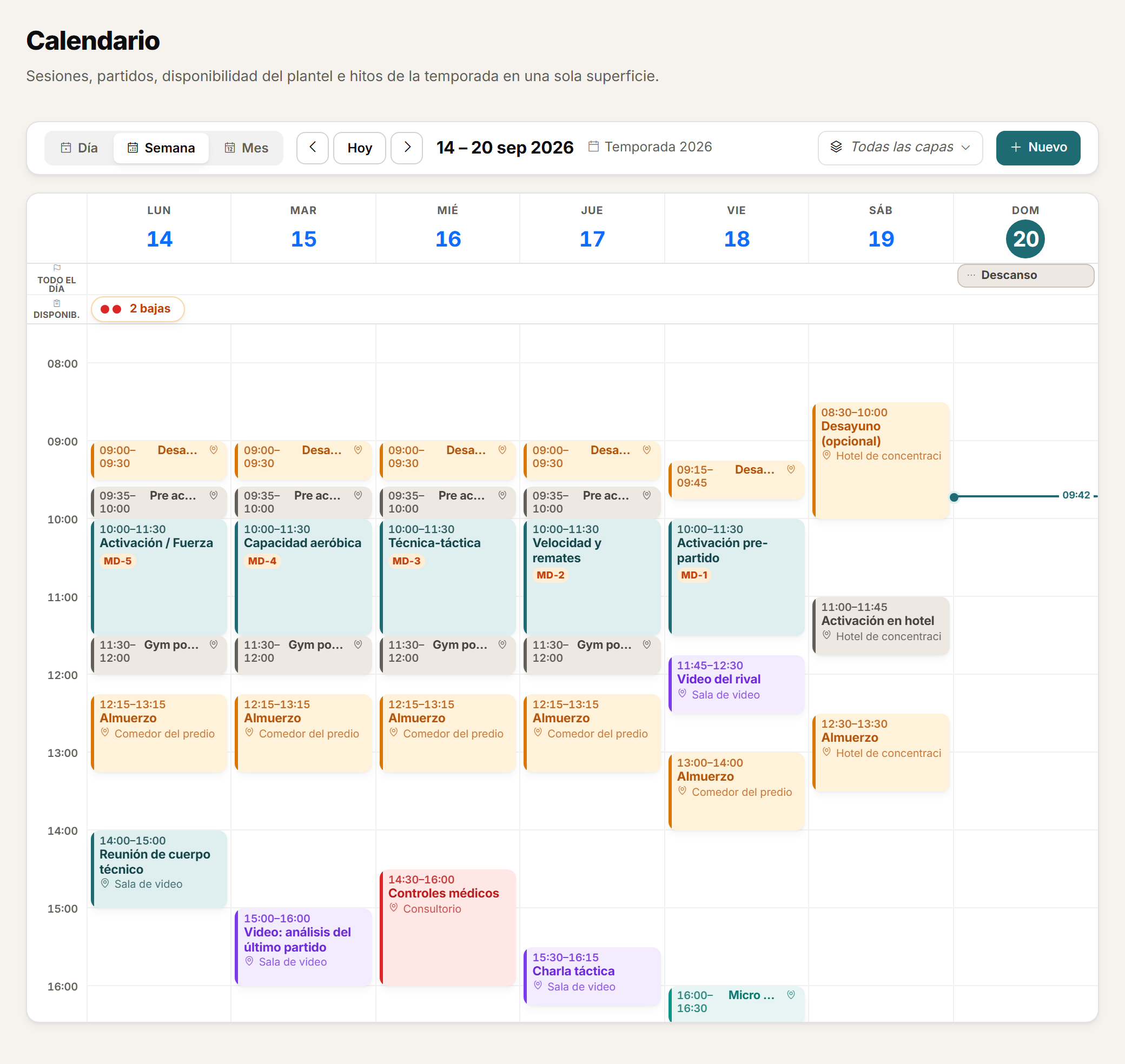
The daily dashboard brings together sessions, wellness, feedback, load and availability to guide the day's work. It is an operational summary, not an automatic recommendation engine.
FAQ
Before you request a demo.
Does the daily dashboard recommend decisions automatically?
No. It is an operational summary of sessions, wellness, load and availability; the decision stays with the coaching staff.
How does match context get logged?
GPS is linked to the opponent, competition, result, periods and events of the game. It is sporting context the coaching staff logs, not an automatic live-event feed.
Do I see the same context as performance staff?
Yes. The session is organised around the microcycle, with call-up and participation already logged, on the same player history.
Personalised demo
Request a demo with your data.
We will show you the daily dashboard and the week around the match with your own squad's data.
Request a demo with your dataOr watch the two-minute tour first
No form needed to see the product. For the demo, an email or a WhatsApp message.
The product interface is currently in Spanish.
What happens next
- 01
You write to us on WhatsApp or email.
Tell us about your club and what you would like to see first.
- 02
We prepare the demo with your data.
We build it on your own GPS CSV and how you calculate load.
- 03
A video call with your staff.
About 45 minutes, with room for every question.