Physical load
From the GPS CSV to the microcycle decision.
Upload the CSV your GPS exports and review how Athlo read the columns and players before you confirm. It does not depend on a direct integration with the vendor.
Import
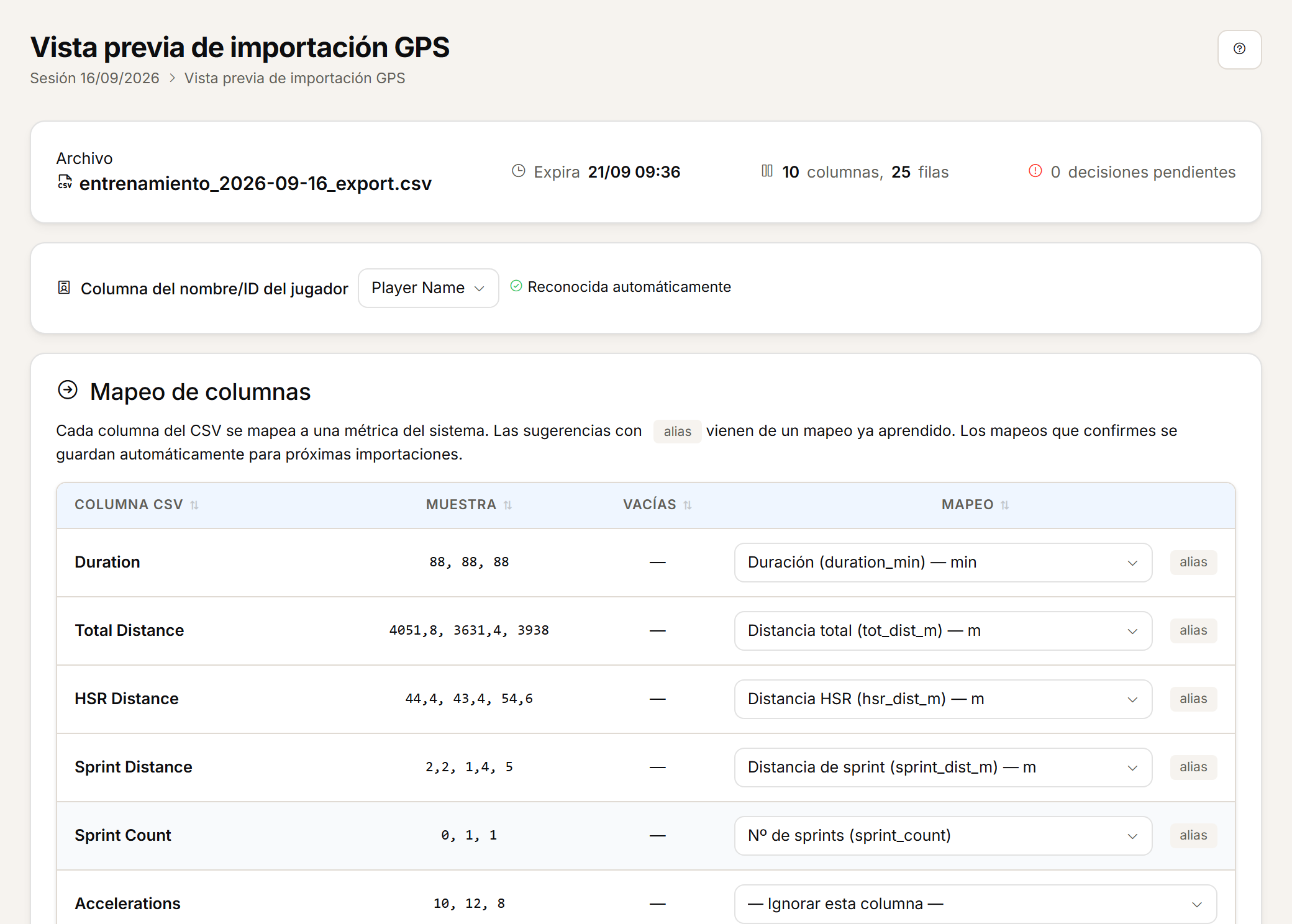
Upload the CSV and review before you confirm.
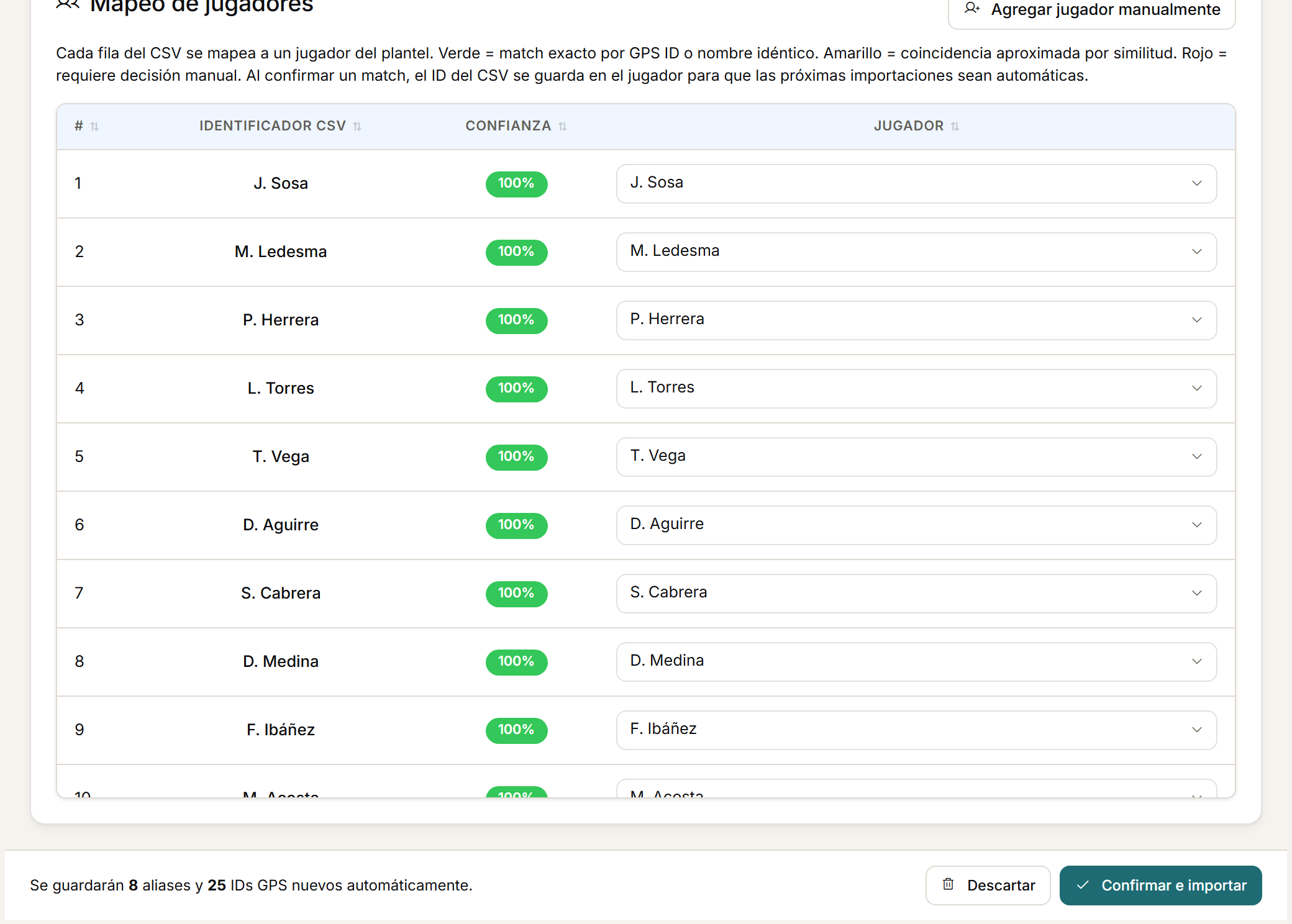
Every import goes through a preview: nothing is saved until you confirm what Athlo read. What you confirm once is reused on the next import.
- Athlo suggests the mapping for metrics and players, and leaves the final decision to you.
- Confirmed mappings can be learned to simplify future imports.
- On re-import, Athlo updates the players present in the new file and keeps the players who are not in it.
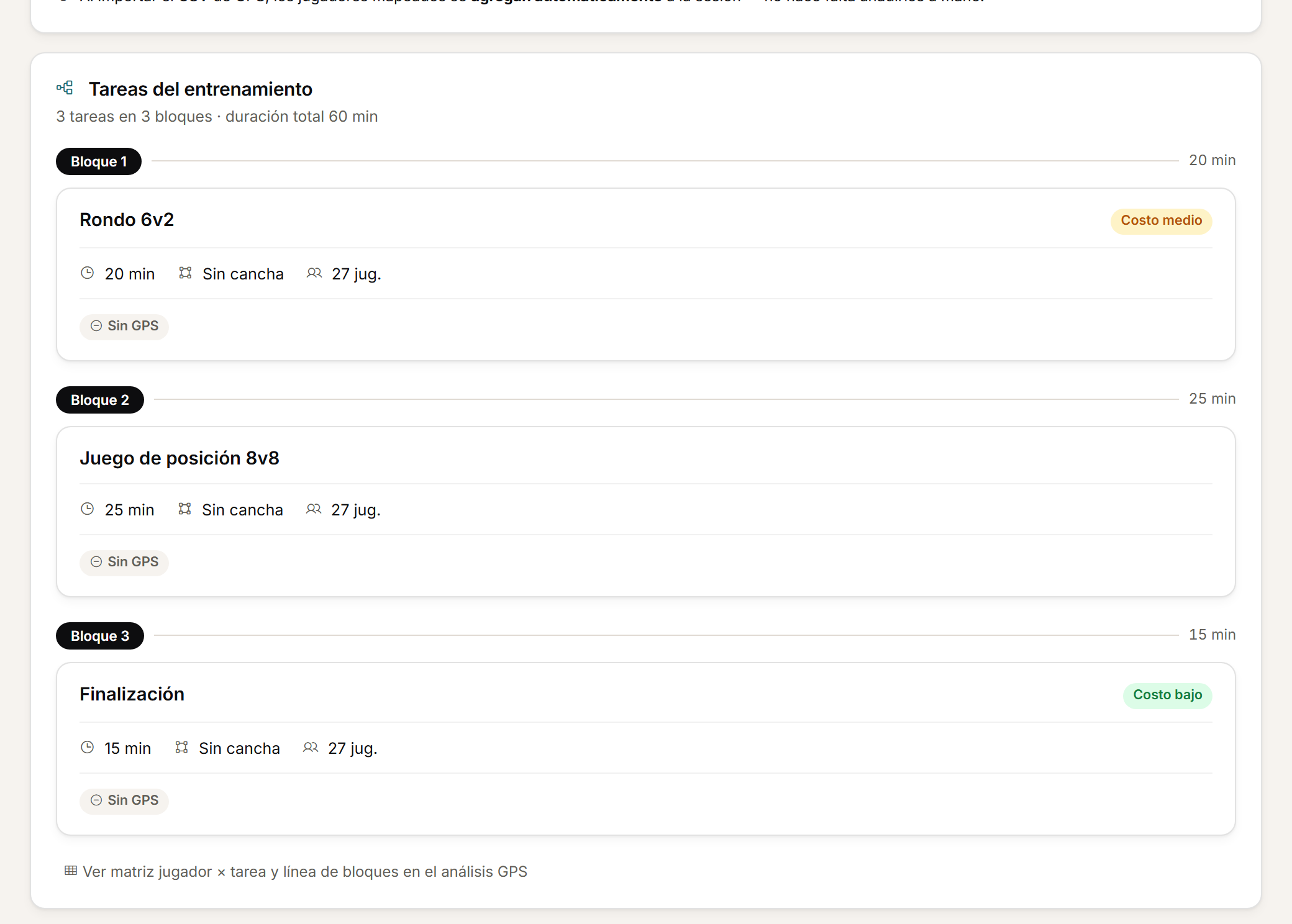
- You can upload GPS data for the whole session, a training drill or a match period.
From the preview to the session's drills.

Analyse
Calculate the load and read it in context.
From the confirmed file, Athlo derives the totals and builds the full read: by session, by microcycle, by season and, in matches, with the context of the game.
- When GPS is uploaded by drill or by period, Athlo can derive the session total, respecting each metric's aggregation method.
- Read the load by session, microcycle and season, with team and player views.
- In matches, GPS links to opponent, competition, result, periods and match events.
- Compare the first and second half and check references such as personal bests within the match analysis.
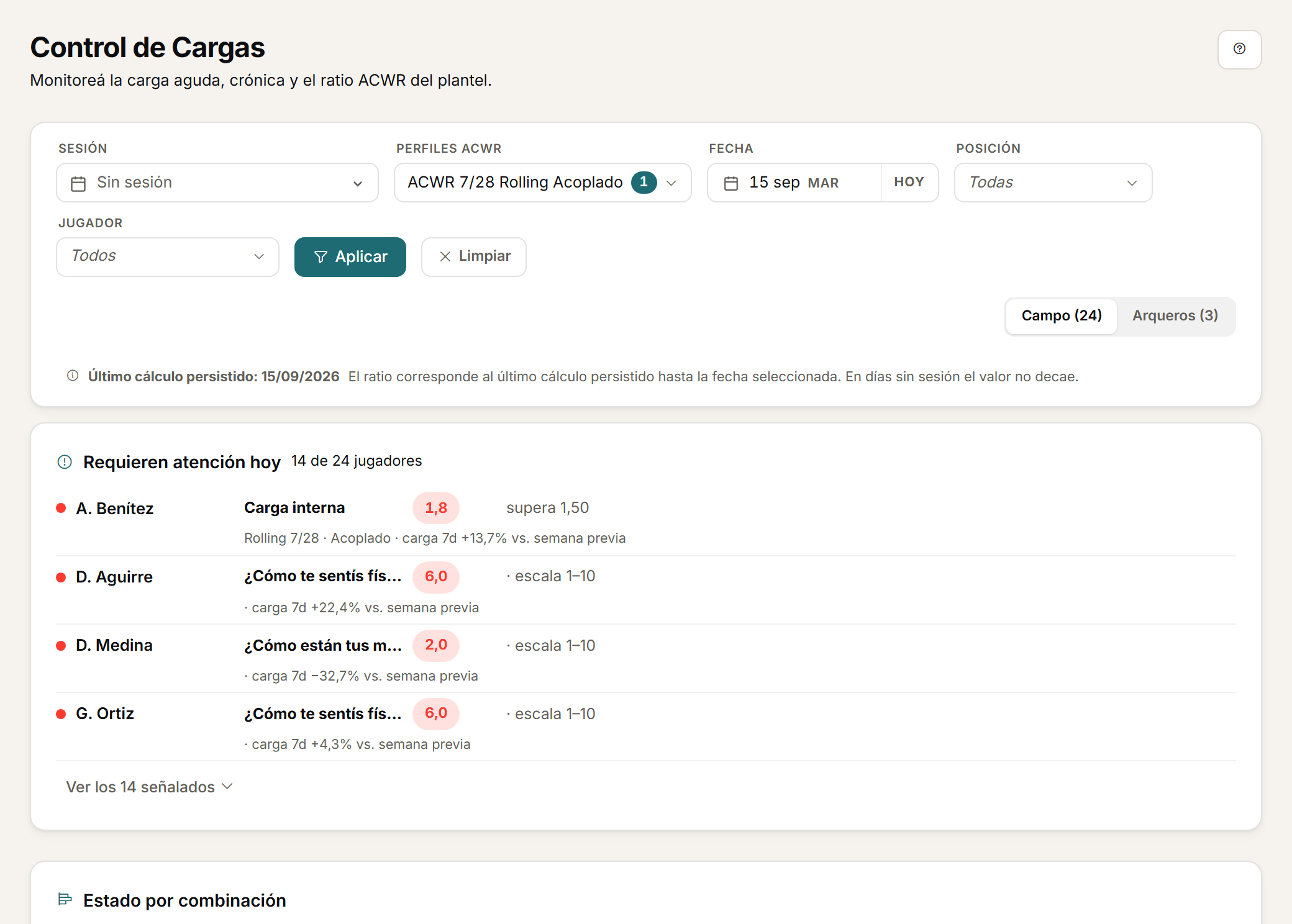
Microcycle, season and match.
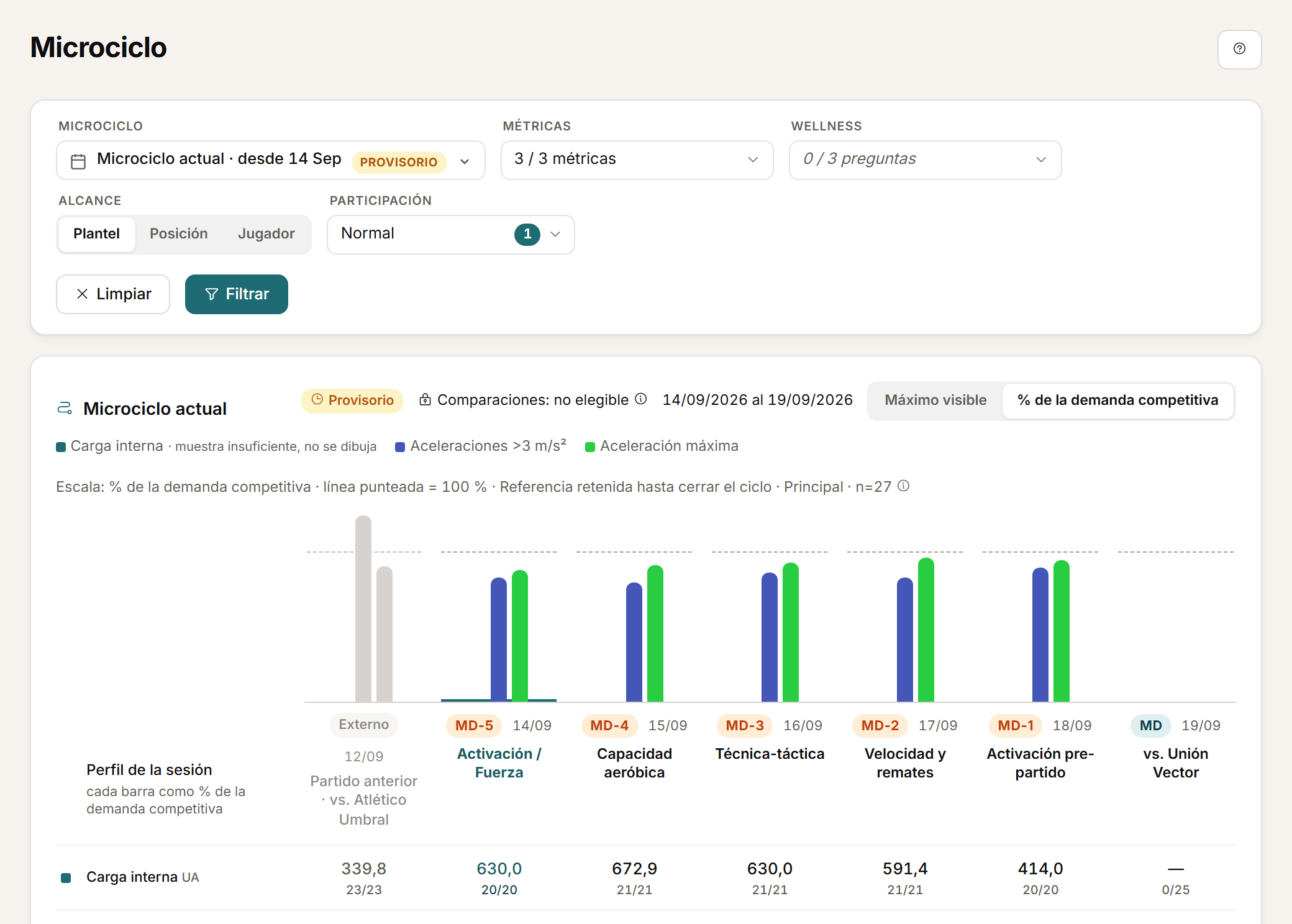
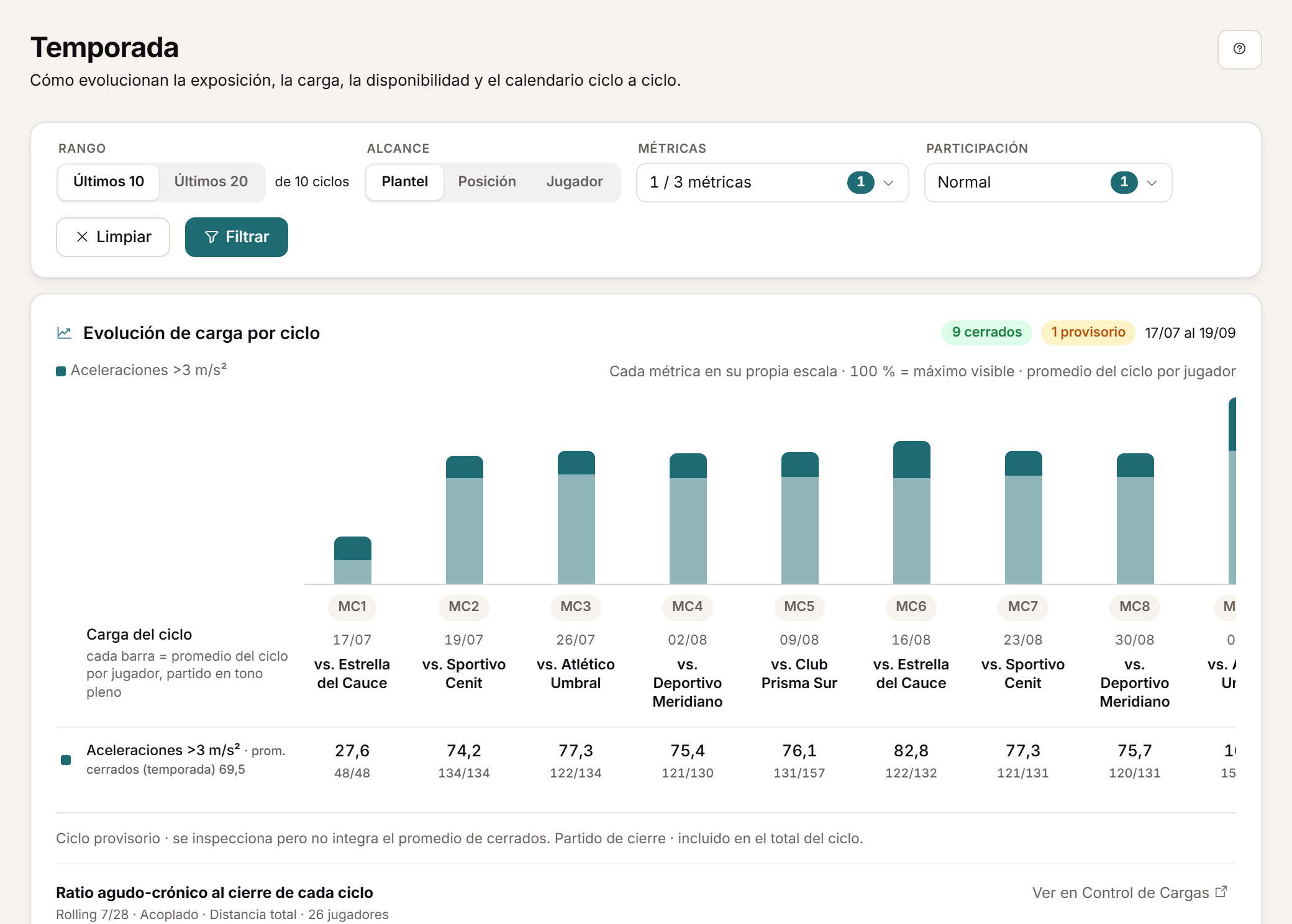
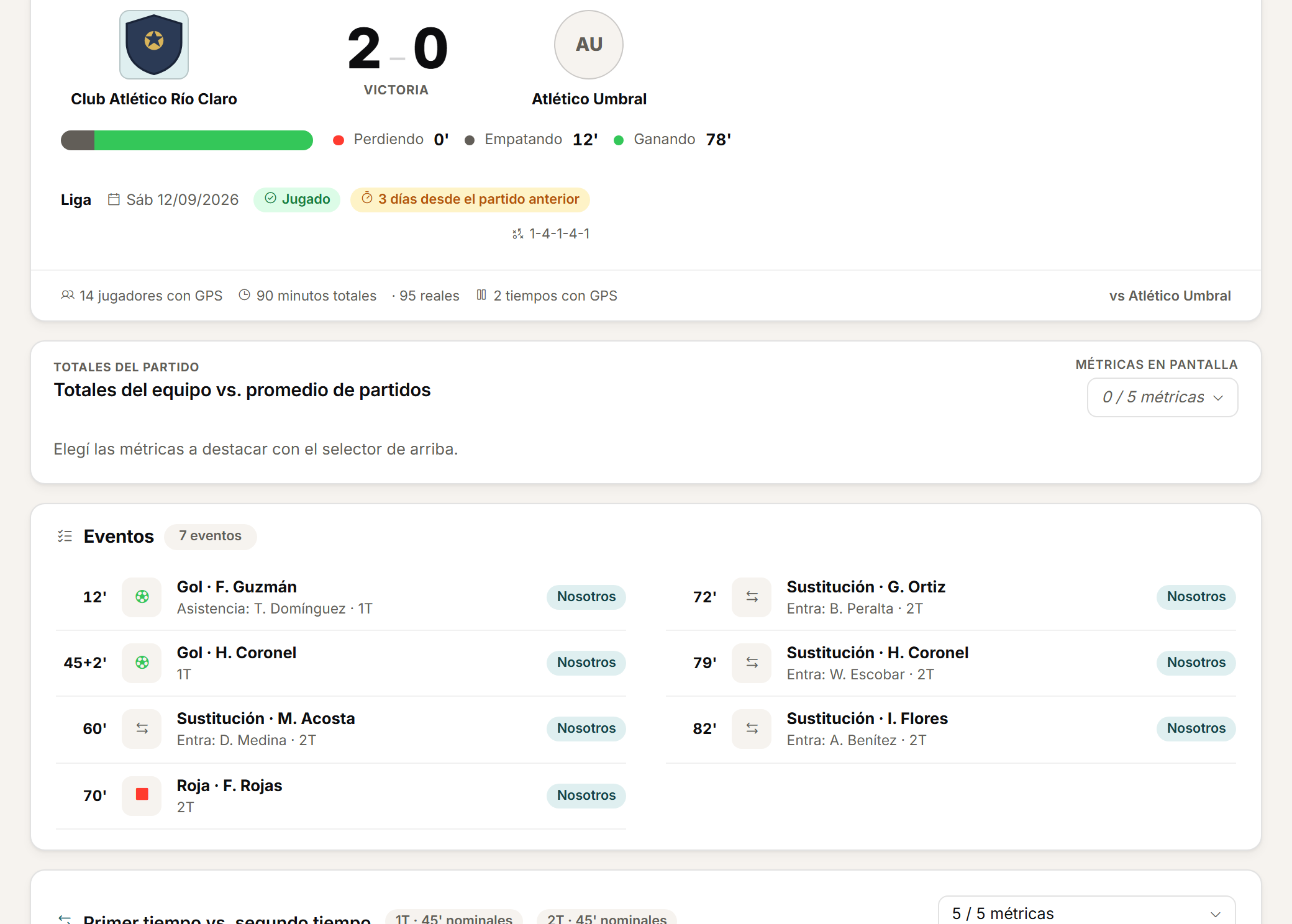
Import the CSV your GPS exports. It is not an API integration with the vendor.
Frequently asked questions
About GPS load.
What happens if I re-import the same file?
Athlo updates the players present in the new file and keeps the players who are not in it.
What file format do I need?
A CSV your GPS exports. Athlo is not an API integration with the vendor; compatibility is file-based.
Can I upload GPS for a single drill or a match period only?
Yes. You can upload the file for the whole session, a training drill or a match period.
Personalised demo
Request a demo with your data.
Send us a CSV exported by your GPS and tell us how you calculate load today. The demo is built on that: your metrics, your thresholds, your microcycle.
Request a demo with your dataOr watch the two-minute tour first
No form needed to see the product. For the demo, an email or a WhatsApp message.
The product interface is currently in Spanish.
What happens next
- 01
You write to us on WhatsApp or email.
Tell us about your club and what you would like to see first.
- 02
We prepare the demo with your data.
We build it on your own GPS CSV and how you calculate load.
- 03
A video call with your staff.
About 45 minutes, with room for every question.