Players
Wellness and feedback, simple from your phone.
You complete your wellness and your feedback, check your calendar and see your dashboard, all from your phone.
A day with Athlo.
01
Before training
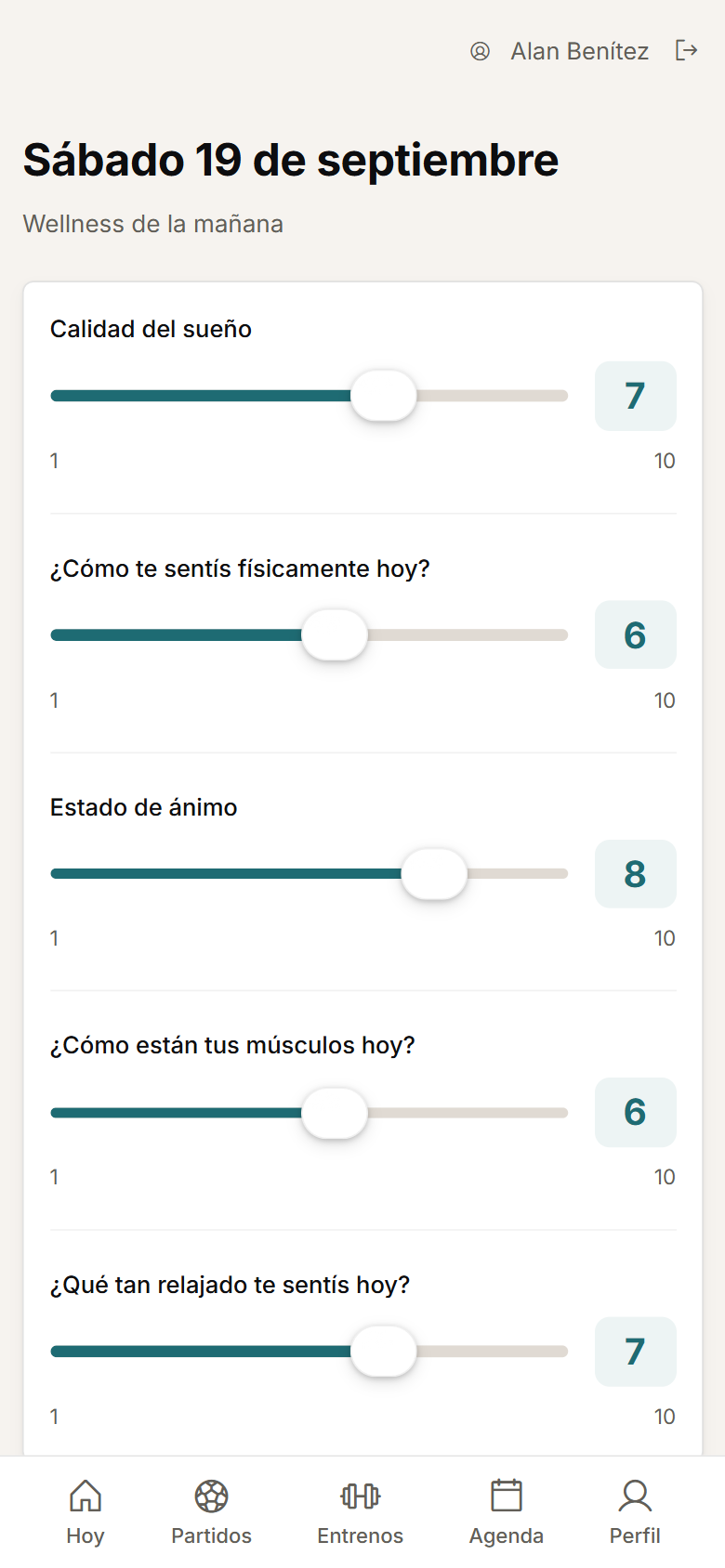
You complete wellness from your phone in a couple of minutes.
02
The session
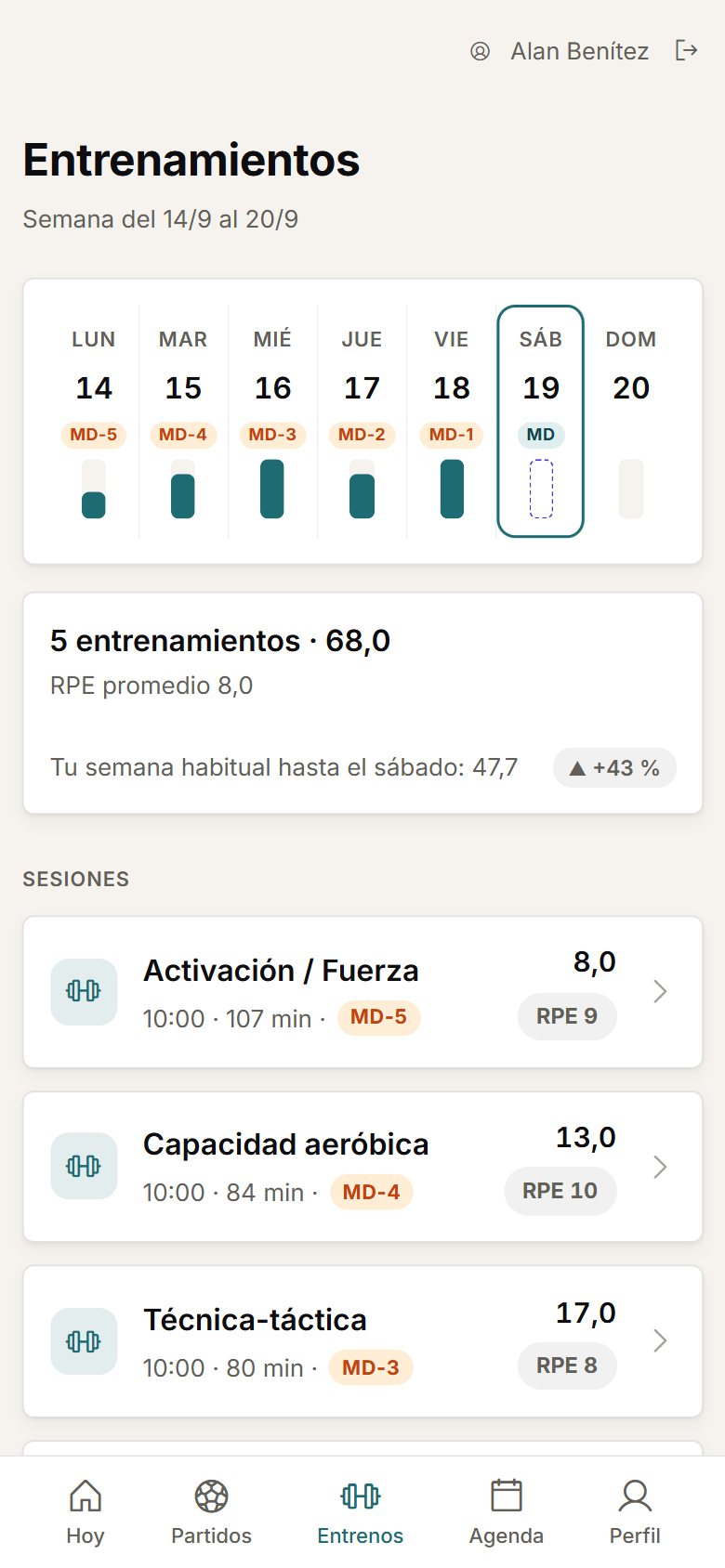
You see the session on your calendar, with its microcycle day.
03
Afterwards
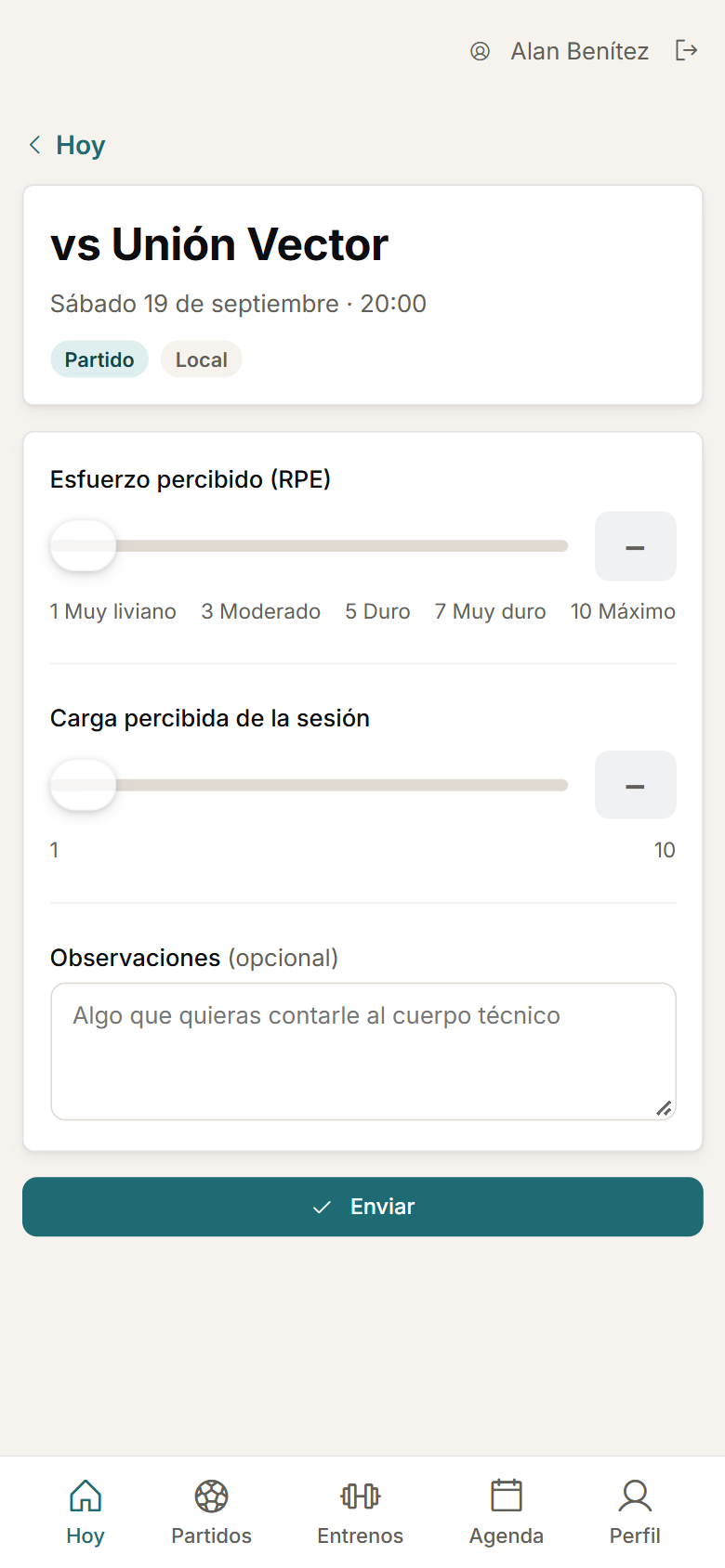
You log your RPE and the feedback staff ask for.
04
The read
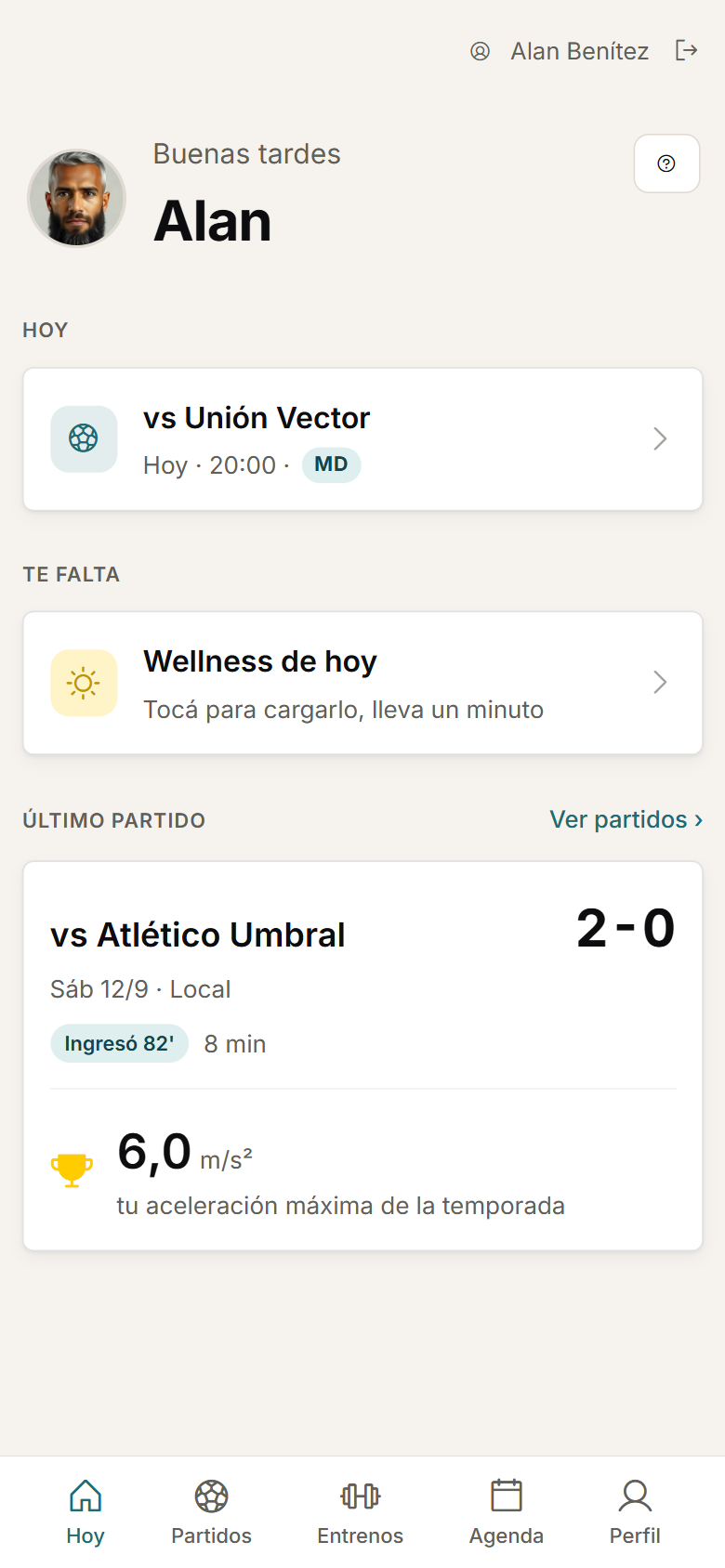
Your dashboard shows what staff have enabled for you: matches, training sessions and assessments.
Your dashboard
What staff have enabled for you.
You see your dashboard with your upcoming matches and training sessions. Staff decide which assessment metrics you can see there.
- You open your assessment records and their historical progression.
Wellness
Your wellness, in a couple of minutes.
You complete your own wellness from your phone, and staff can enter or correct records according to their permissions.
Feedback
Your RPE, after every session.
After a session, you log your RPE and other feedback questions.
Calendar
Your week of training.
You check your calendar of training sessions and matches, with the microcycle day for each session.
Matches
Every match, with your own view.
Every match has its own view for you, inside your dashboard.
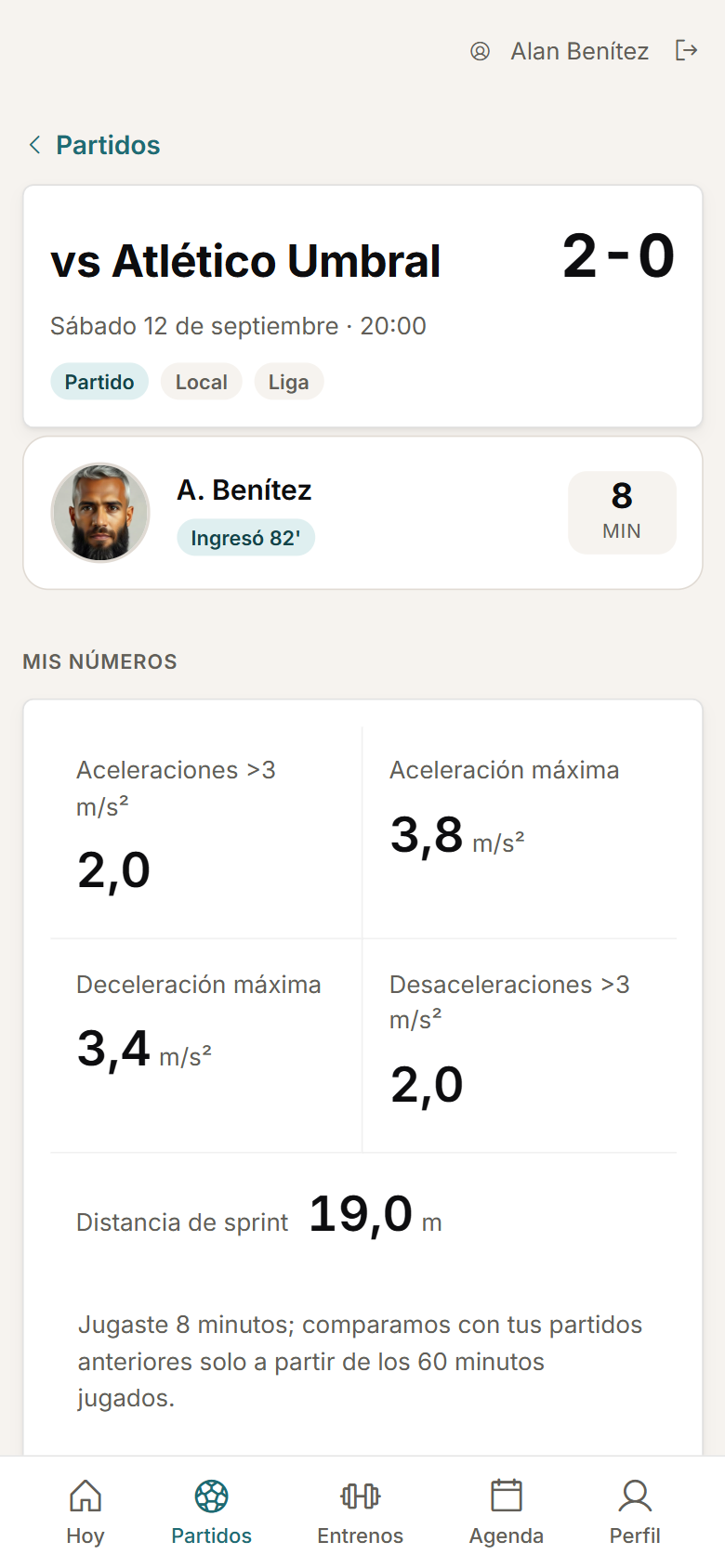
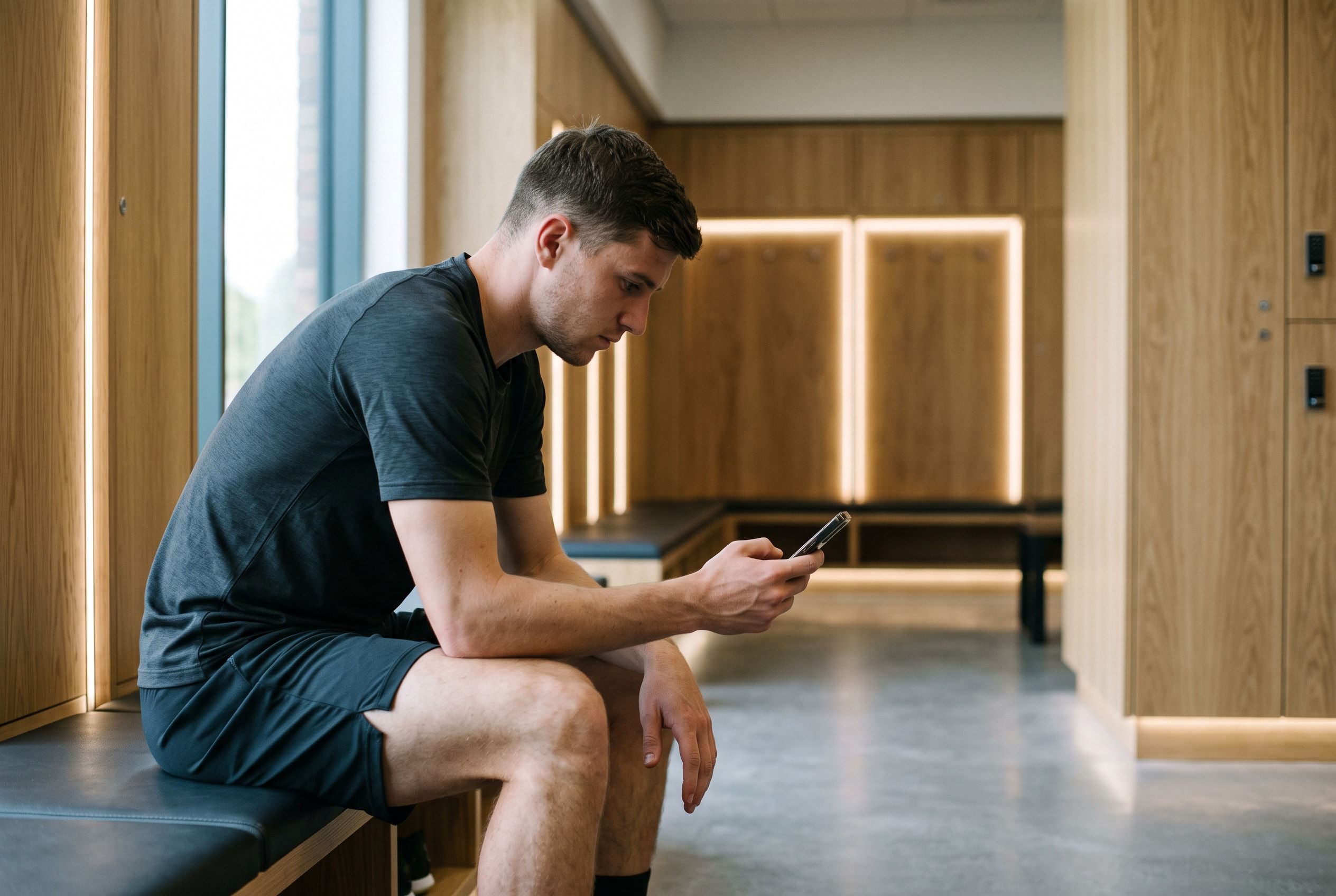
It is a web experience for your phone, with nothing to install. There is no native app for iOS or Android.
FAQ
Before you request a demo.
Do players need to install an app?
No. It is a web experience for a phone, with nothing to install.
Can a player see their medical history?
No. Their mobile experience covers wellness, feedback, calendar and dashboard; medical history is not shown to the player.
Which assessments can a player see?
The ones staff have enabled for them. They are hidden by default; showing them is an explicit staff decision.
Personalised demo
Request a demo with your data.
We will also show you how your players complete wellness and feedback from their phones.
Request a demo with your dataOr watch the two-minute tour first
No form needed to see the product. For the demo, an email or a WhatsApp message.
The product interface is currently in Spanish.
What happens next
- 01
You write to us on WhatsApp or email.
Tell us about your club and what you would like to see first.
- 02
We prepare the demo with your data.
We build it on your own GPS CSV and how you calculate load.
- 03
A video call with your staff.
About 45 minutes, with room for every question.