Fitness coaches
Less friction in your daily analysis.
GPS load, ACWR and squad targets in one place, updated with every session you log.
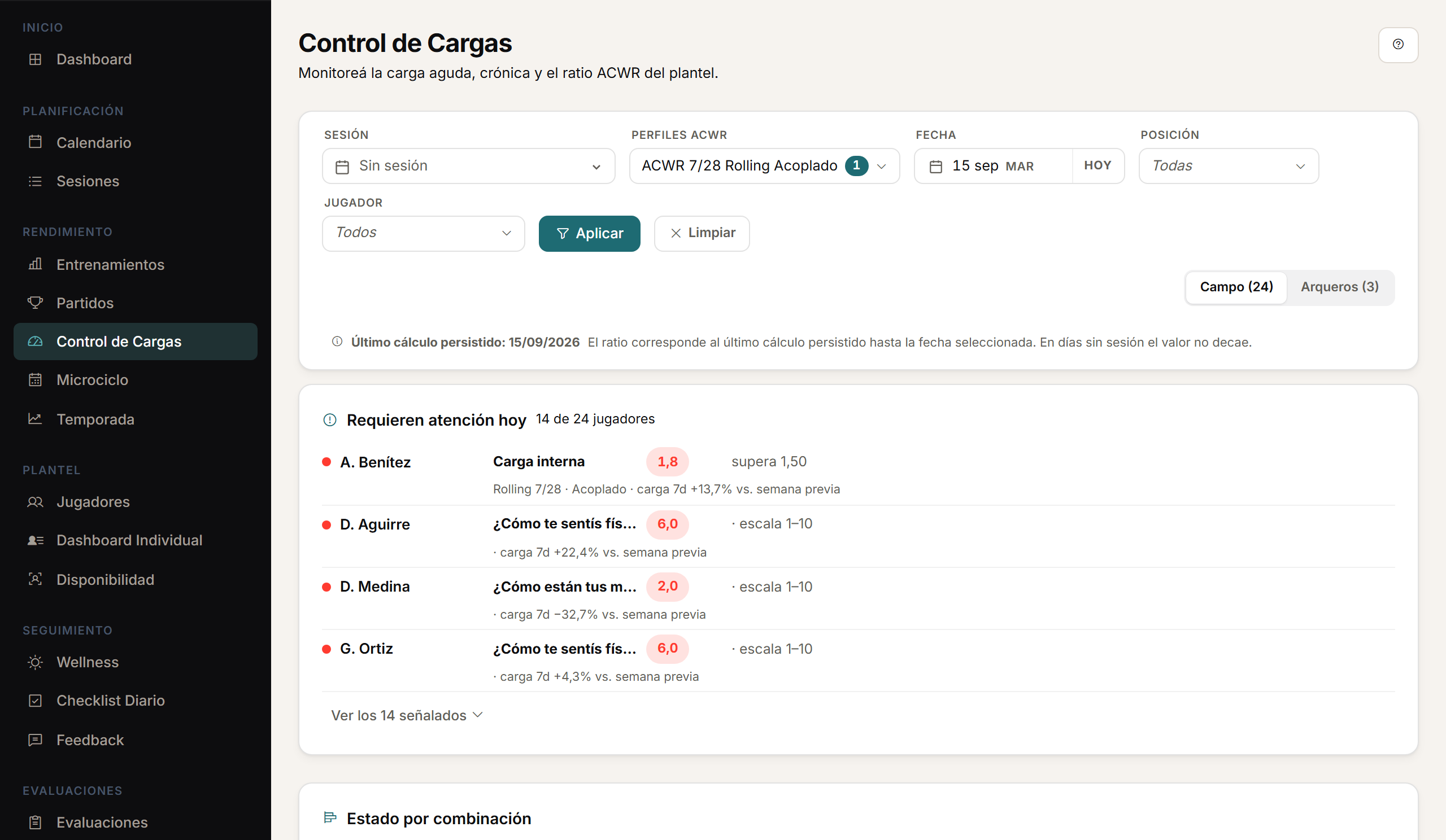
A day with Athlo.
01
Before training
You review the squad's wellness and the responses that need attention.
02
The session
You plan drills and targets inside the microcycle.
03
Afterwards
You upload the GPS CSV, review the preview and confirm.
04
The read
Load monitoring updates ACWR, targets and availability for the whole squad.
ACWR
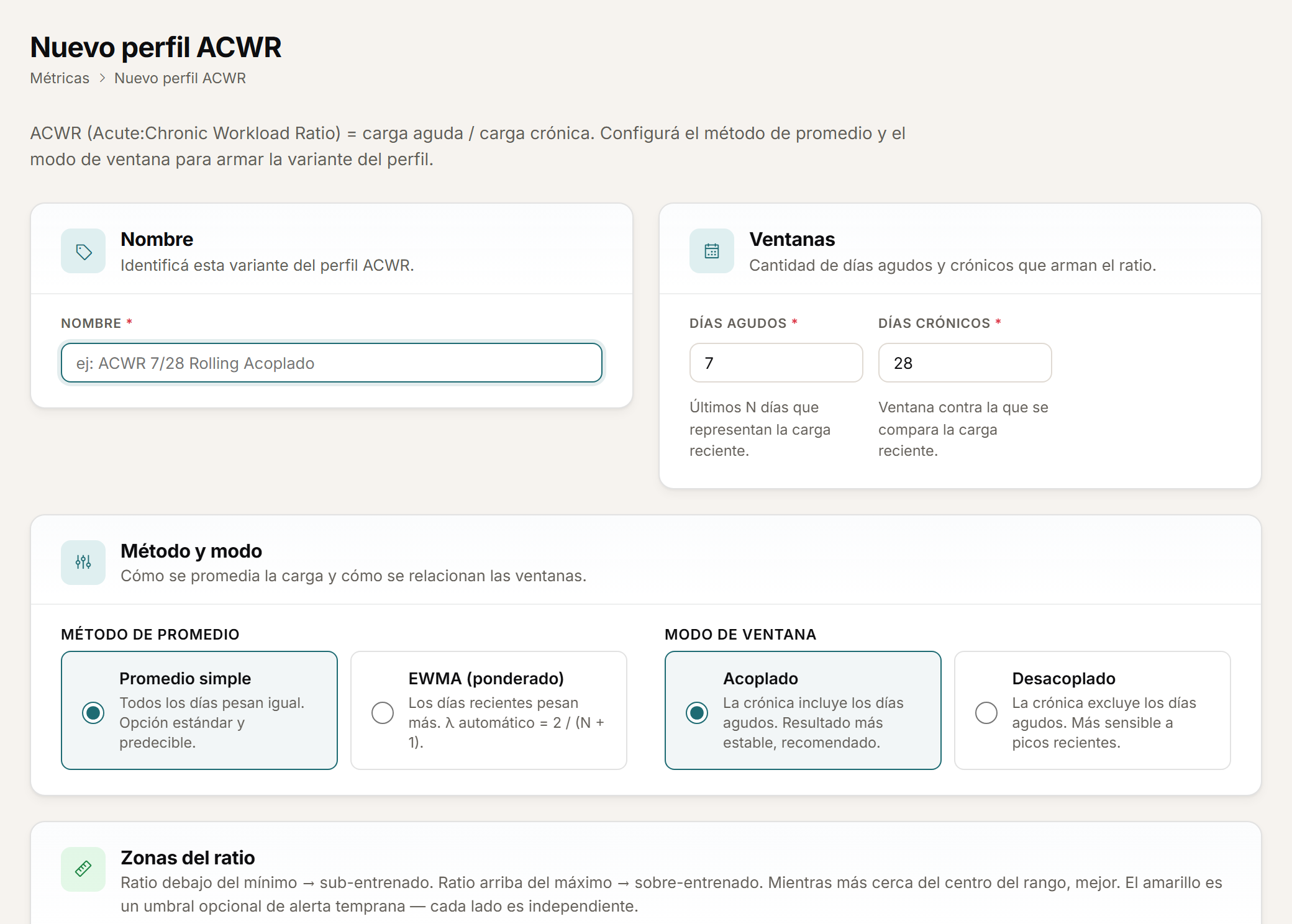
Configure ACWR your way.
ACWR is the ratio between a player's recent load and their usual load. Configure ACWR profiles with rolling average or EWMA, and coupled or uncoupled calculation.
Targets
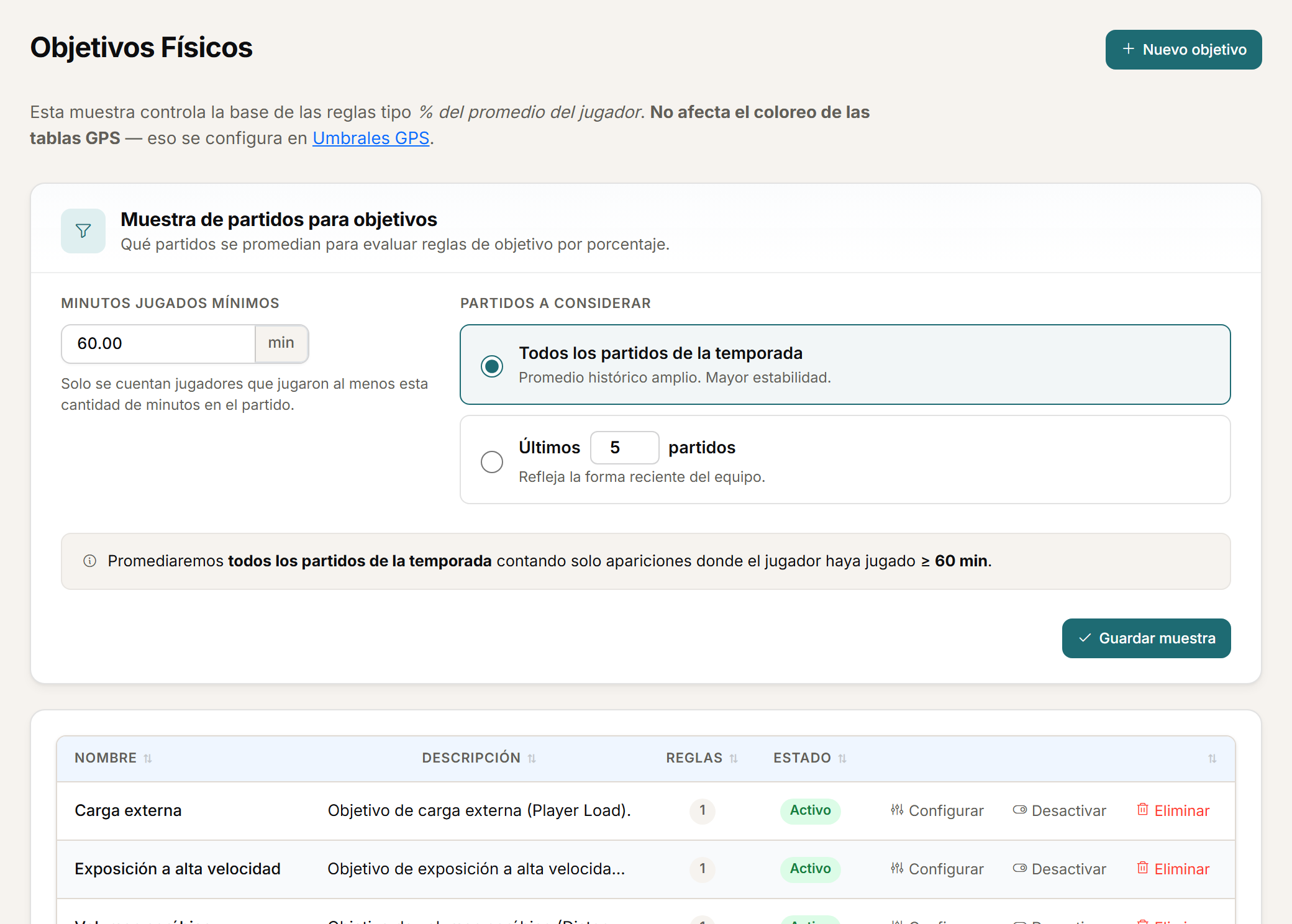
Targets by squad, position or player.
Set physical targets for the whole squad, by position or by player, with green, amber and red zones.
Analysis
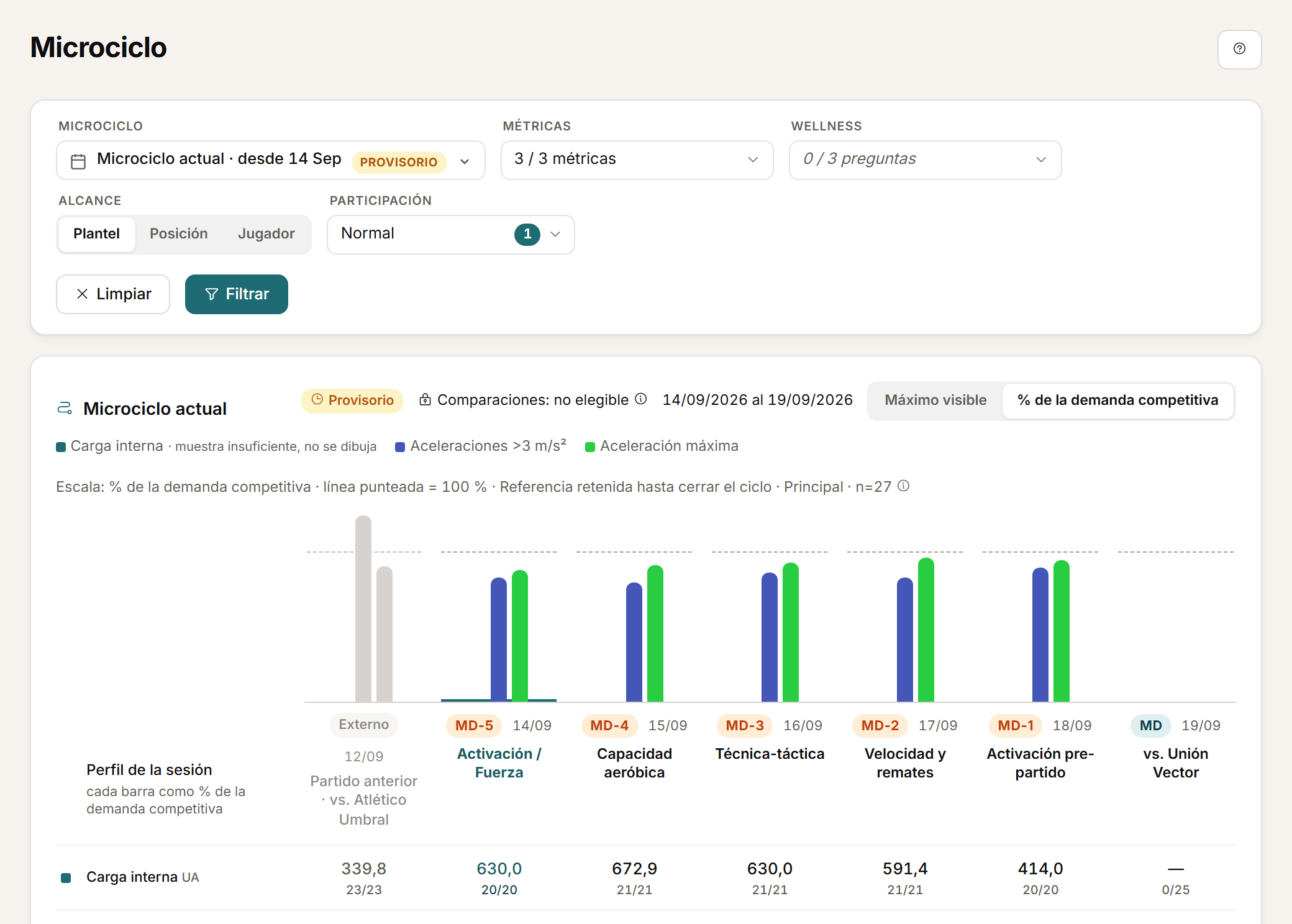
From the session to the season.
Analyse load by session, microcycle and season, with team and player views.
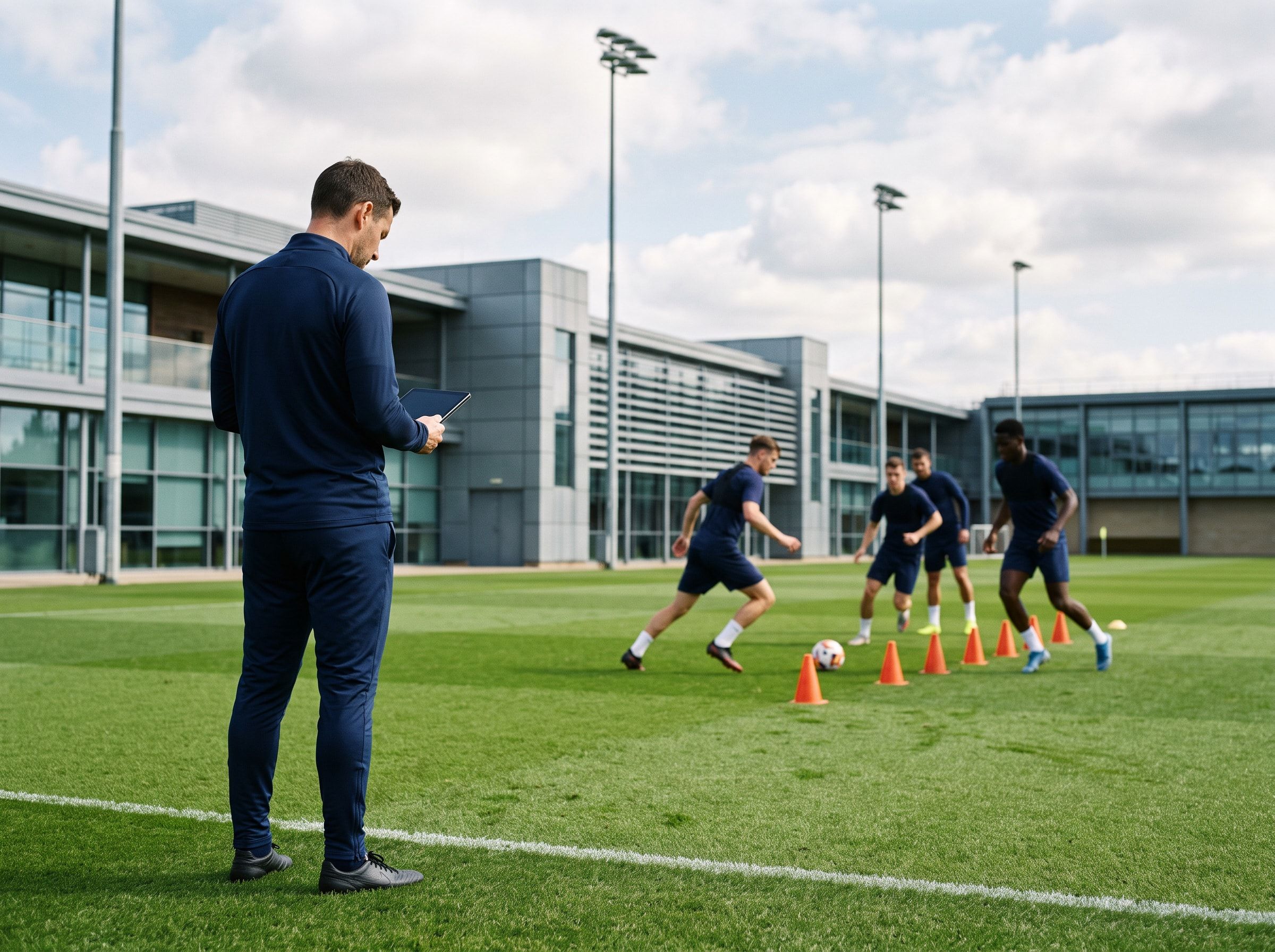
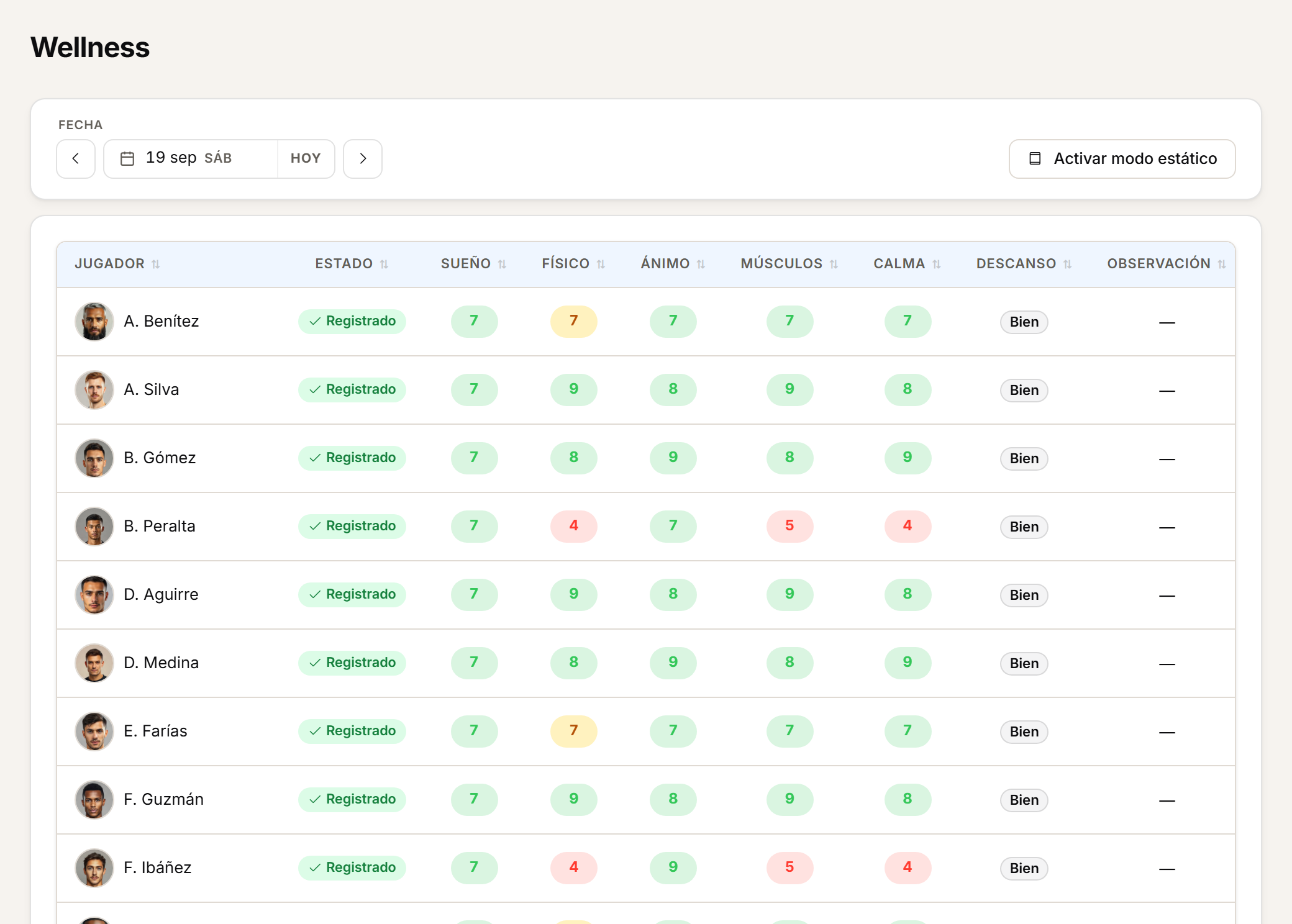
Wellbeing
Daily wellness with attention alerts.
Configure daily wellness with numeric or single-choice questions and visual thresholds. Daily tracking, history and visual alerts help spot responses that need attention.
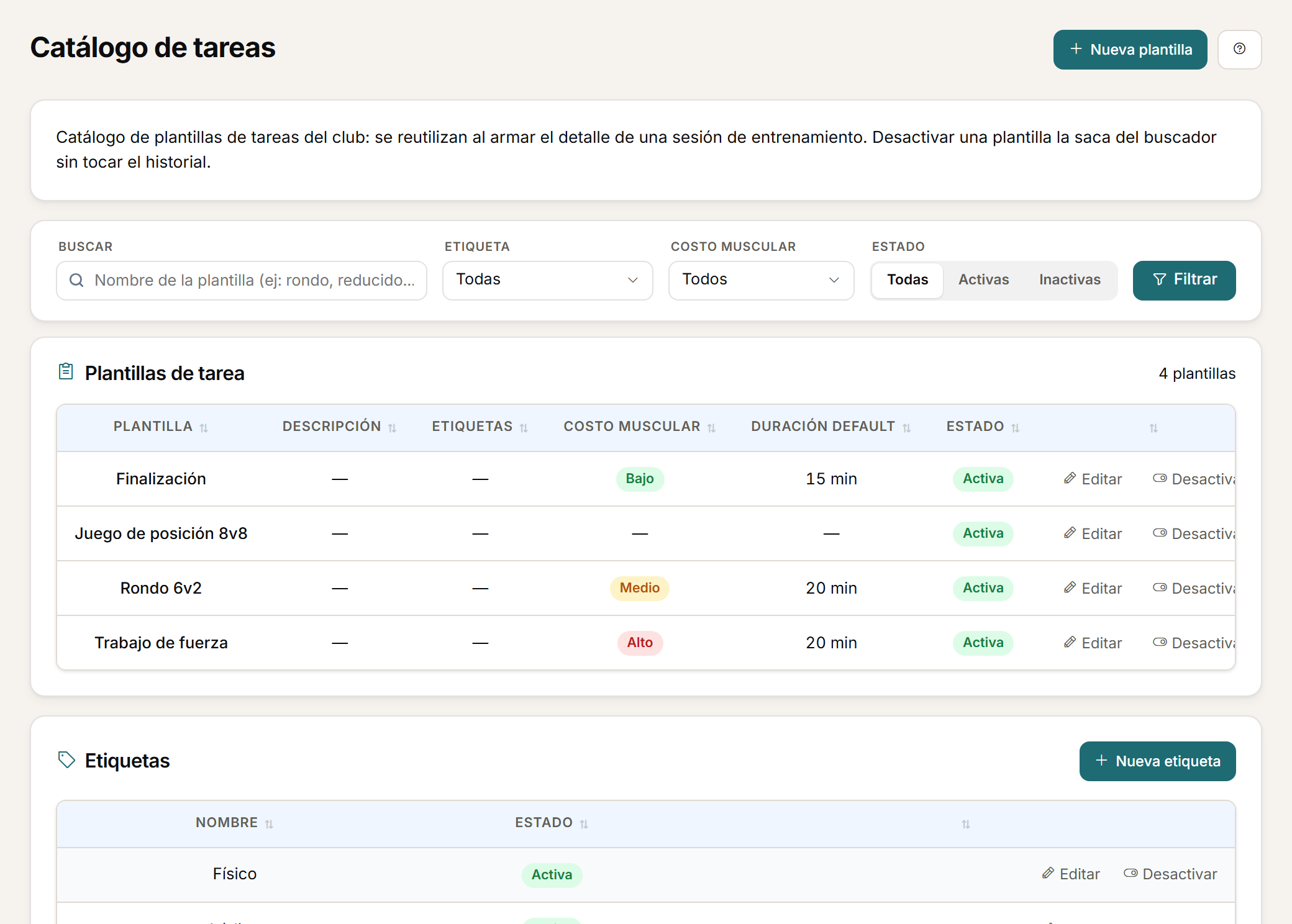
Planning
Reusable drills, with tags.
Reuse drills from a template library with tags.
ACWR is a monitoring ratio, with the method you configure. It supports the coaching staff's decision, not a diagnosis.
FAQ
Before you request a demo.
What is ACWR in Athlo?
It is the ratio between a player's recent load and their usual load. You configure ACWR profiles with rolling average or EWMA, and coupled or uncoupled calculation. It is a monitoring ratio that supports the decision, not a diagnosis.
Do drill templates replace how I plan?
No. You reuse drills from a template library with tags to speed up setup; it is not a licensed exercise-content library.
How are wellness thresholds configured?
You define numeric or single-choice questions with visual thresholds. History and visual alerts help spot responses that need attention.
Personalised demo
Request a demo with your data.
Send us the CSV your GPS exports and we will show you your ACWR, your targets and your wellness inside Athlo.
Request a demo with your dataOr watch the two-minute tour first
No form needed to see the product. For the demo, an email or a WhatsApp message.
The product interface is currently in Spanish.
What happens next
- 01
You write to us on WhatsApp or email.
Tell us about your club and what you would like to see first.
- 02
We prepare the demo with your data.
We build it on your own GPS CSV and how you calculate load.
- 03
A video call with your staff.
About 45 minutes, with room for every question.