Analytics and targets
Load, targets and context in one view.
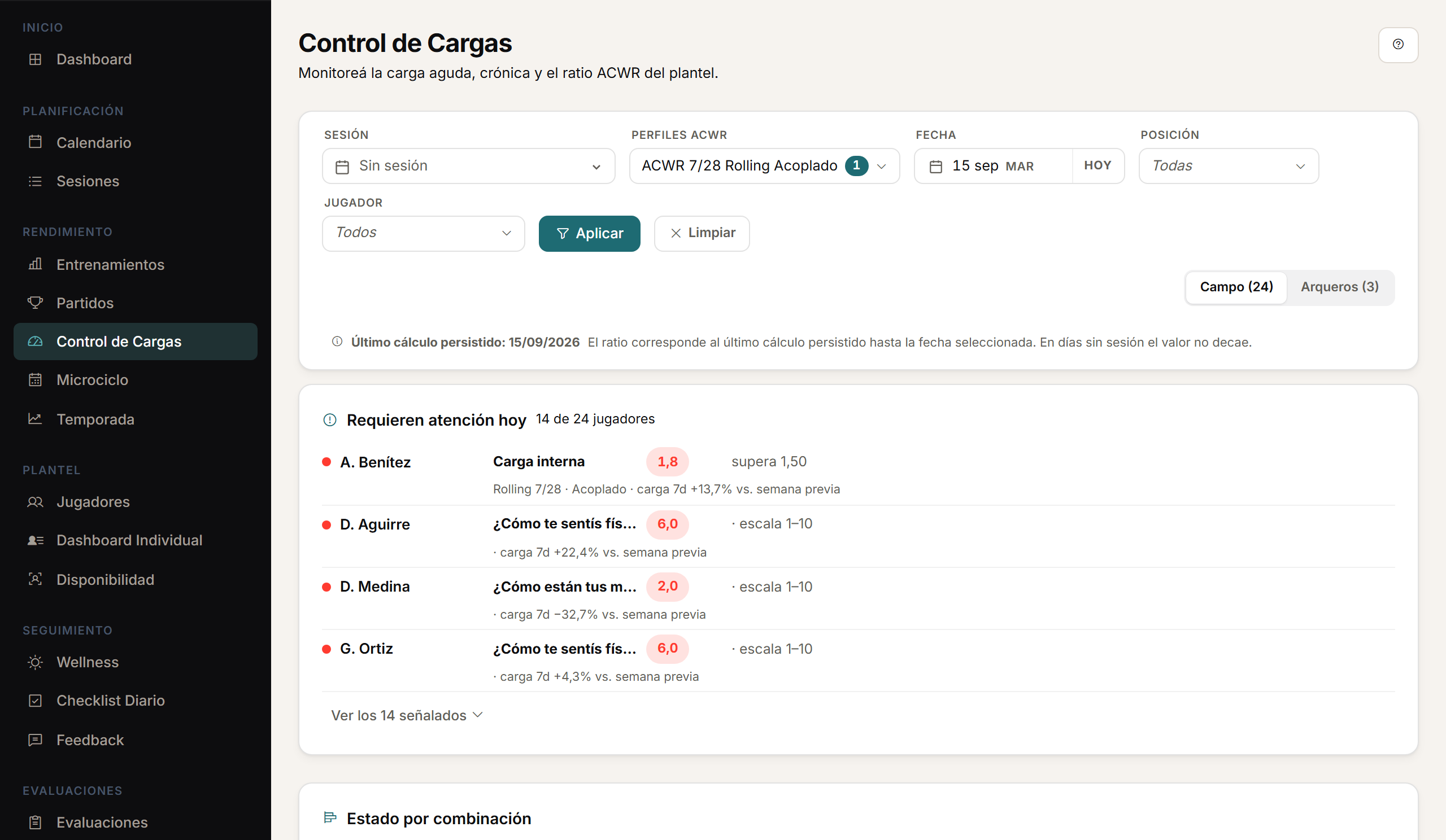
Analyse load by session, microcycle and season, with team and player views. The daily dashboard brings together sessions, wellness, feedback, load and availability to guide the day's work.
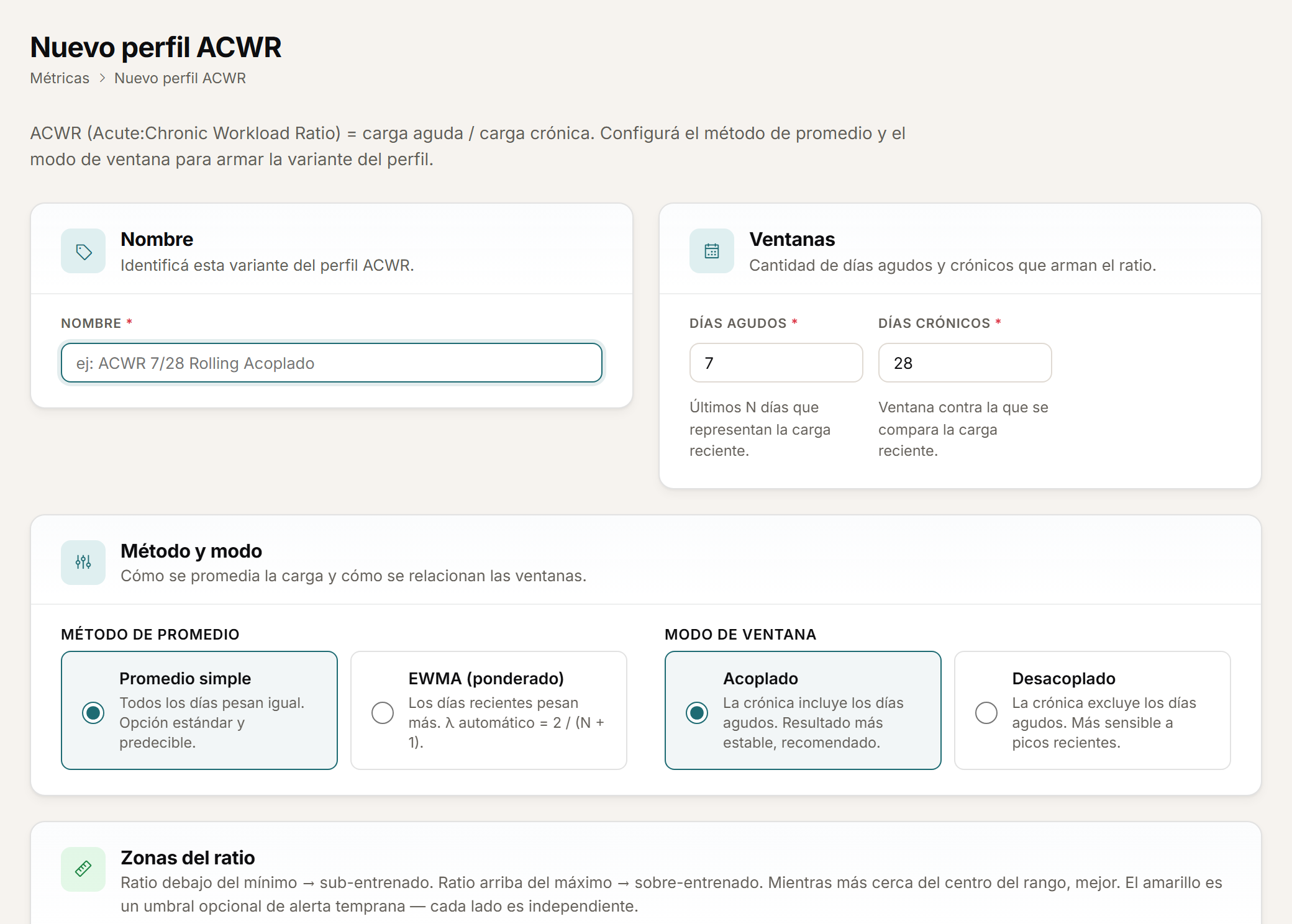
ACWR profiles
Your method, configured.
ACWR is the ratio between a player's recent load and their usual load. Configure ACWR profiles with rolling average or EWMA, and coupled or uncoupled calculation.
- Rolling average or EWMA, your choice.
- Coupled or uncoupled calculation.
- One profile for every method you use.
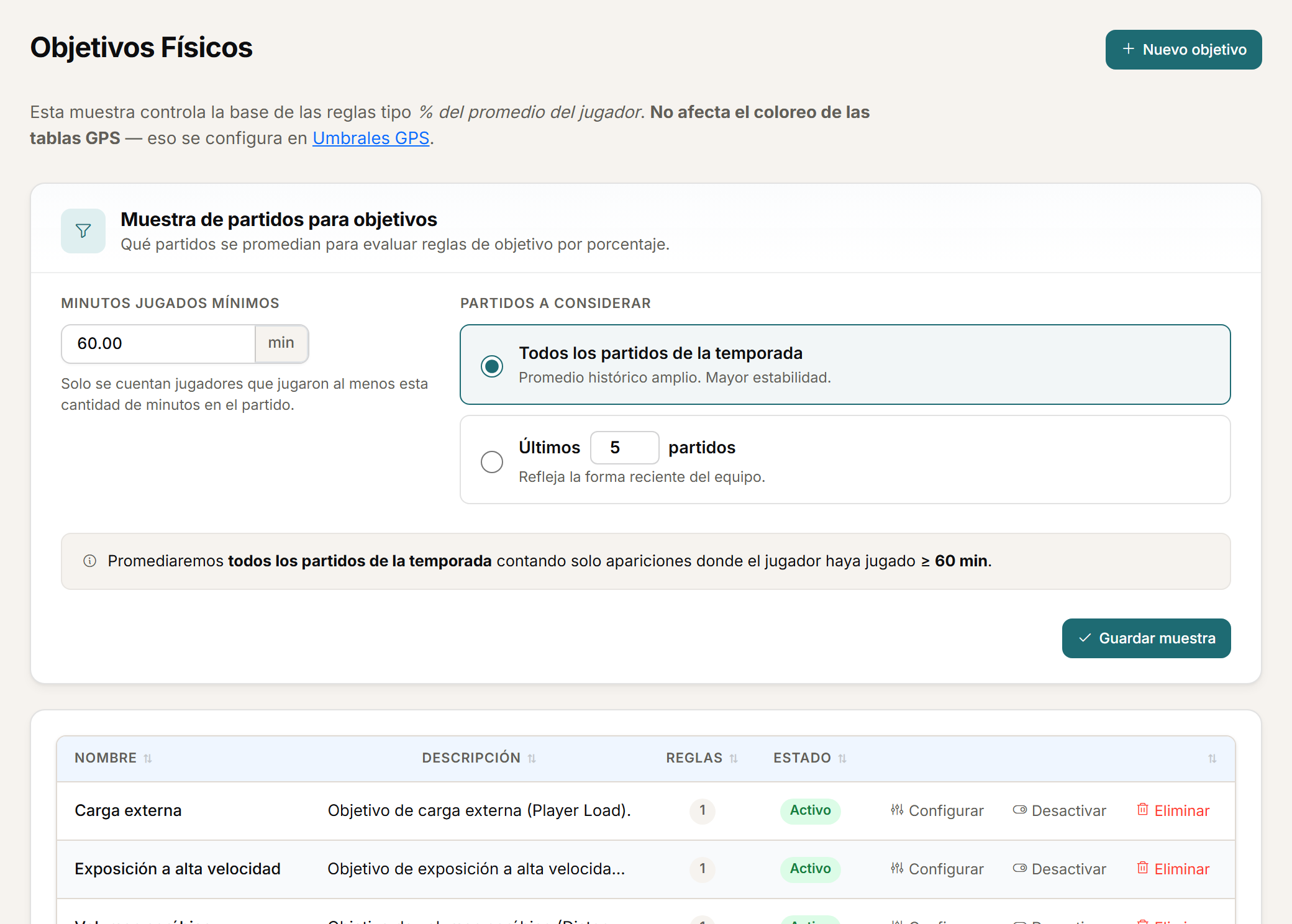
Targets
Reference zones, for load and assessments.
Set physical targets for the whole squad, by position or by player, with green, amber and red zones. Configure reference zones for assessment metrics and apply them to the scope you define.
- Targets for the squad, by position or by player.
- Green, amber and red zones.
- Reference zones for assessment metrics too.
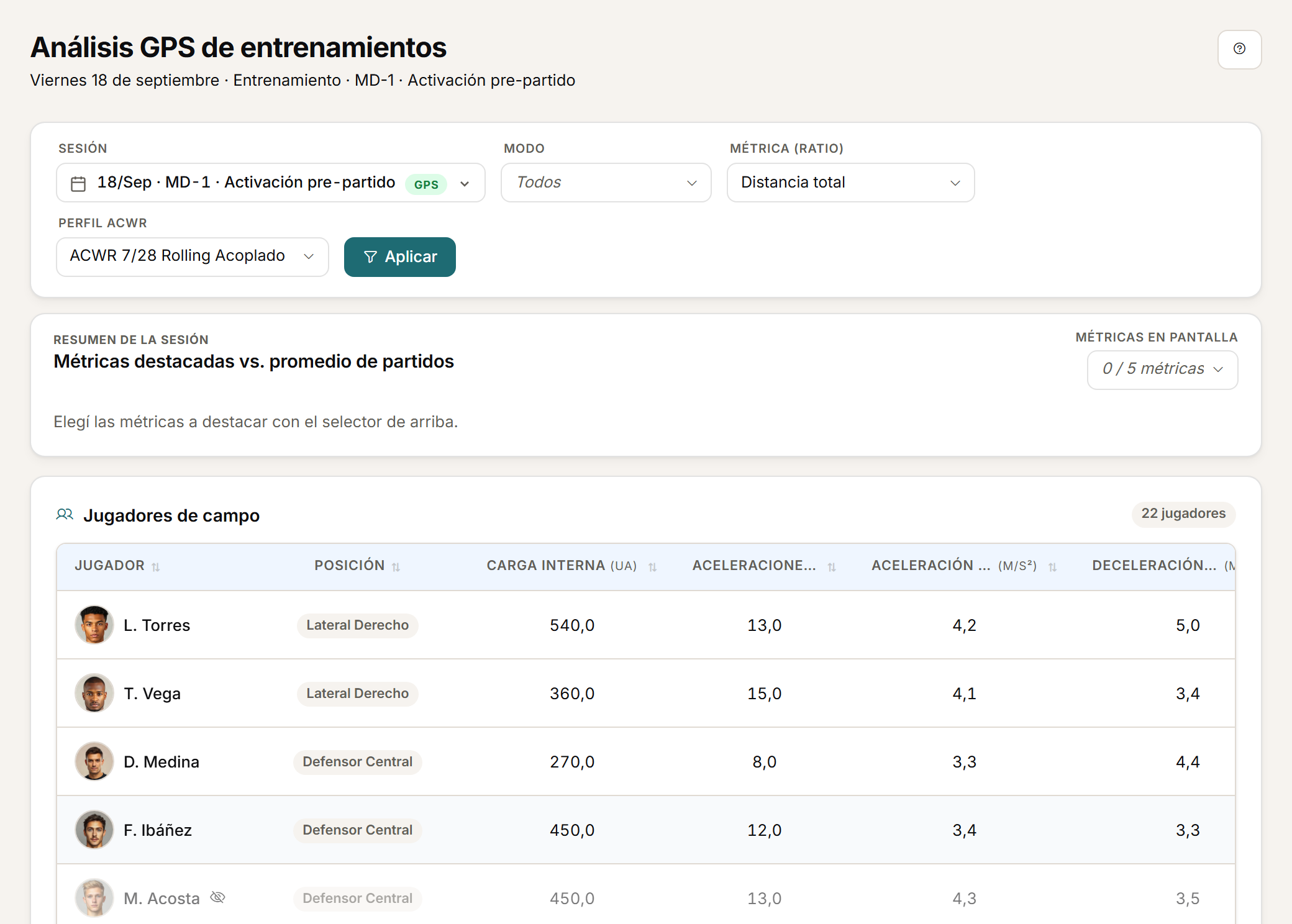
By position
What applies to each position.
Athlo distinguishes field-player and goalkeeper metrics, so each position sees what applies to it. Analyse load by session, with team and player views.
- Field-player and goalkeeper metrics, kept separate.
- A session read, with a team view.
- A session read, with a player view.
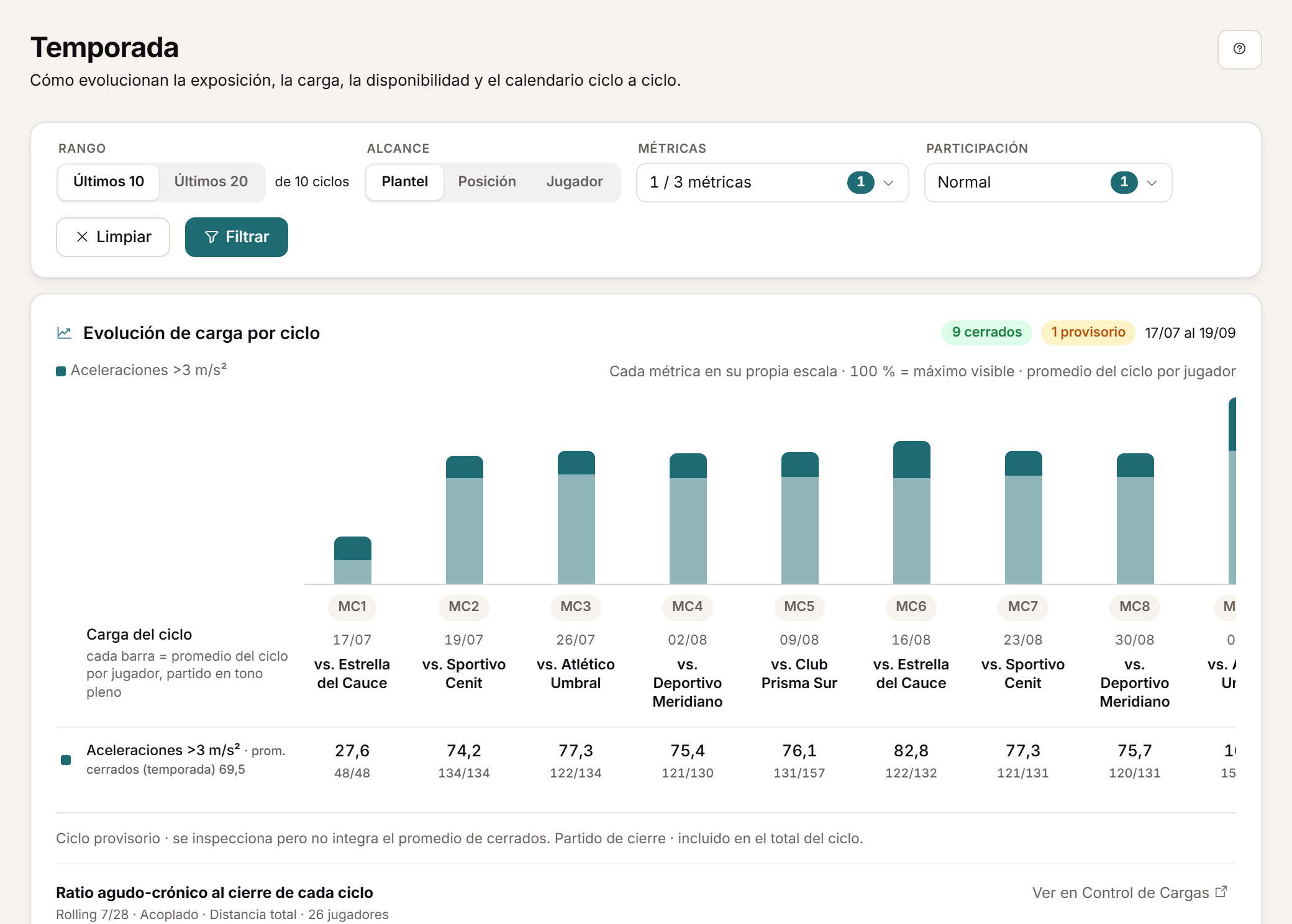
Calculated metrics
Your own way of working.
Configure custom and calculated metrics to adapt the analysis to how you work.
- Custom metrics, defined by your team.
- Calculated metrics built from other metrics.
- The analysis adapts to how you work.
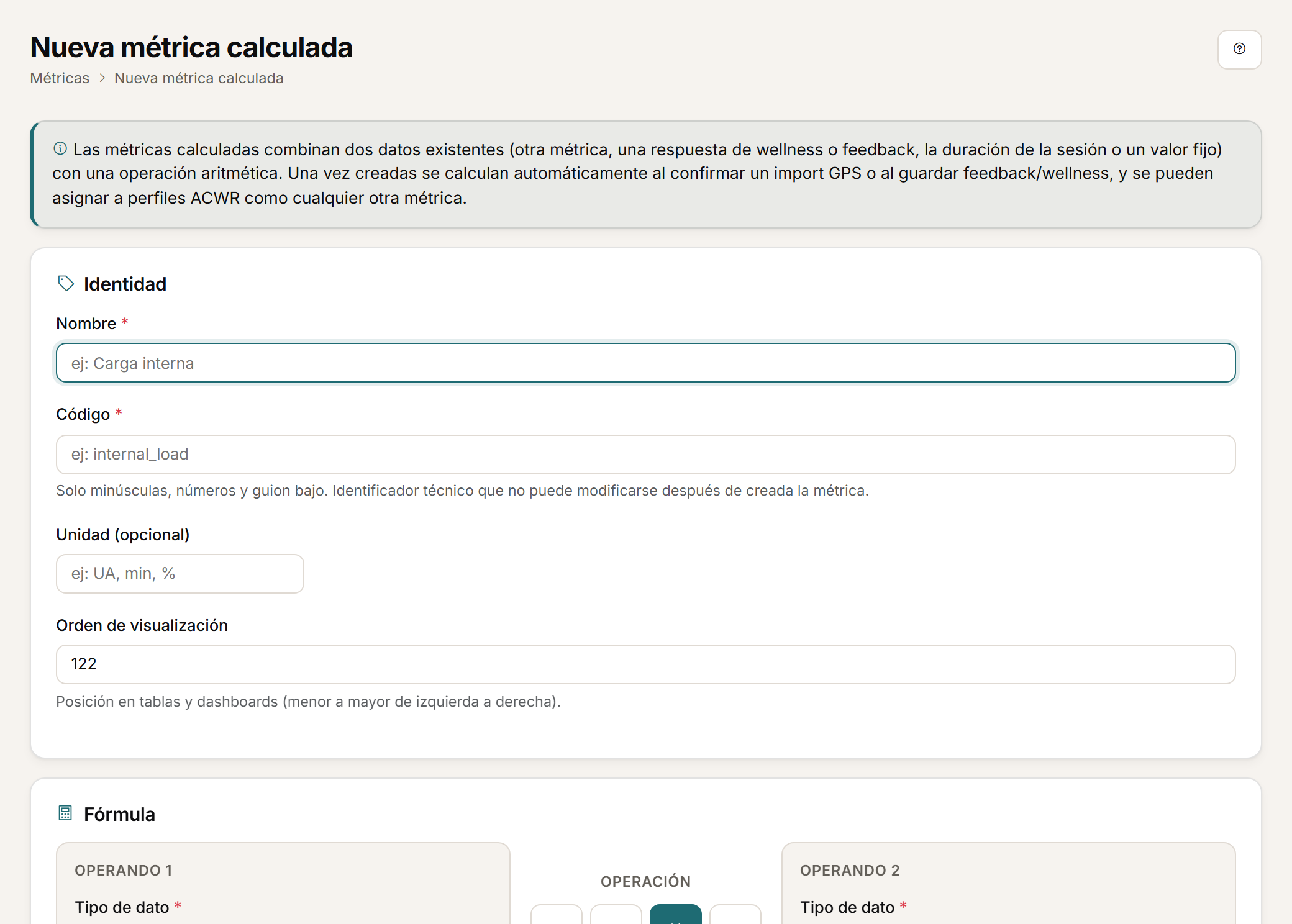
Daily dashboard
The squad's day, on one screen.
The daily dashboard brings together sessions, wellness, feedback, load and availability to guide the day's work.
- Sessions, wellness and feedback for the day.
- Load and availability on the same screen.
- Guides the day's work, it does not decide it for you.
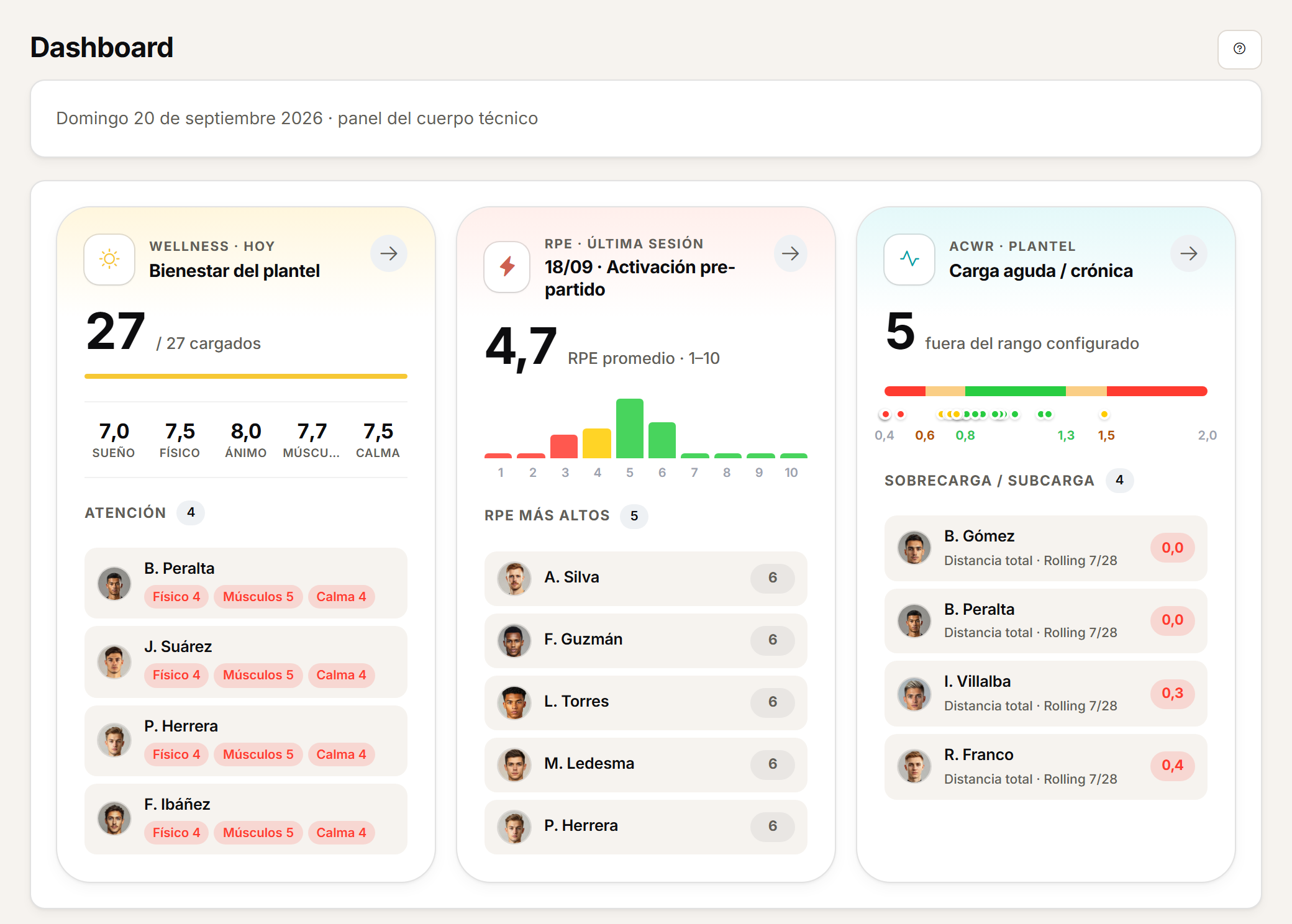
Medical context
Load, in the medical detail too.
An injury's detail can show the available load context around the date it occurred.
- Available load around the injury's date.
- Retrospective context, not a cause.
- Visible from load monitoring and from the medical history.
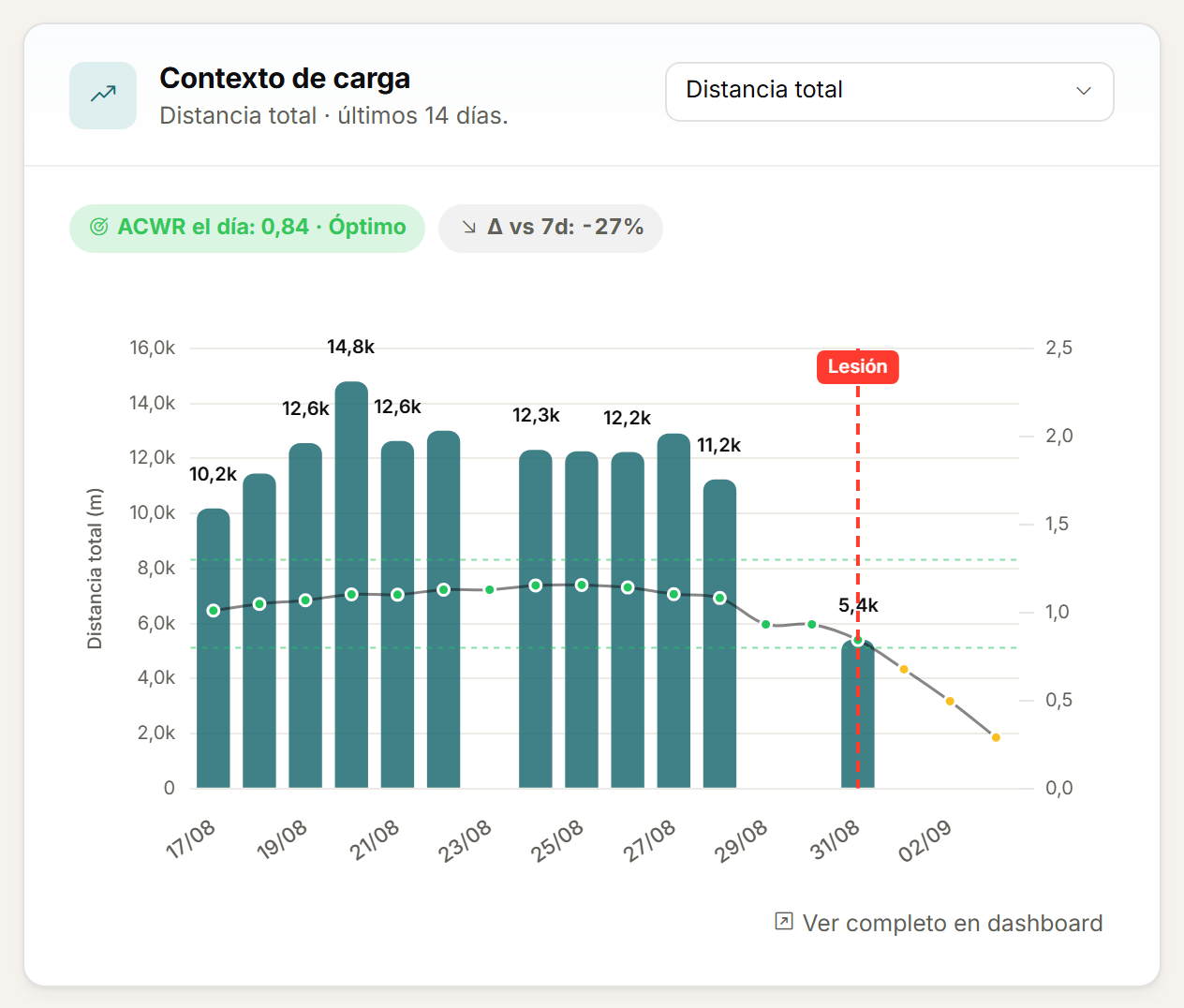
Season
The season, start to finish.
Analyse load by season, with team and player views.
- Load's progression across the season.
- A team view and a player view.
- The same data behind the session and microcycle reads.
ACWR is a monitoring ratio, not a prediction model.
Personalised demo
Request a demo with your data.
Send us a CSV exported by your GPS and tell us how you calculate load today. The demo is built on that: your metrics, your thresholds, your microcycle.
Request a demo with your dataOr watch the two-minute tour first
No form needed to see the product. For the demo, an email or a WhatsApp message.
The product interface is currently in Spanish.
What happens next
- 01
You write to us on WhatsApp or email.
Tell us about your club and what you would like to see first.
- 02
We prepare the demo with your data.
We build it on your own GPS CSV and how you calculate load.
- 03
A video call with your staff.
About 45 minutes, with room for every question.